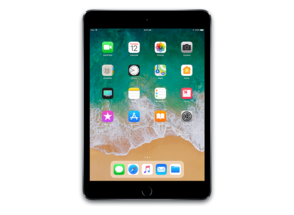
iPad6,12
About This Firmware
iPadOS 16.4 RC
(build 20E246)
is a beta IPSW for the iPad6,12,
released on March 21, 2023.
The download is 5.71 GB. This build is no longer signed by Apple. Blobs can no longer be saved for this build.
iPad_64bit_TouchID_ASTC_16.4_20E246_Restore.ipsw
Release Notes
This update introduces 21 new emoji and includes other enhancements, bug fixes, and security updates for your iPad.
This update includes the following enhancements and bug fixes:
- 21 new emoji including animals, hand gestures, and objects are now available in emoji keyboard
- Apple Pencil hover adds tilt and azimuth support so you can preview your mark at any angle before you make it in Notes and supported apps on iPad Pro 11-inch (4th generation) and iPad Pro 12.9-inch (6th generation)
- Notifications for web apps added to the Home Screen
- Duplicates album in Photos expands support to detect duplicate photos and videos in an iCloud Shared Photo Library
- VoiceOver support for maps in the Weather app
- Accessibility setting to automatically dim video when flashes of light or strobe effects are detected
- Fixes an issue with Apple Pencil responsiveness that may occur while drawing or writing in the Notes app
- Fixes an issue where Ask to Buy requests from children may fail to appear on the parent's device
- Addresses issues where Matter-compatible thermostats could become unresponsive when paired to Apple Home
Some features may not be available for all regions or on all Apple devices. For information on the security content of Apple software updates, please visit this website: https://support.apple.com/kb/HT201222
How to Install
iTunes / Finder
macOS & Windows- Download the .ipsw file to your computer.
- Connect your iPad6,12 to your computer via USB.
- Open iTunes (Windows / macOS Mojave and earlier) or Finder (macOS Catalina+) and select your device.
- Hold Option ⌘ (Mac) or Shift (Windows) and click Check for Update or Restore iPhone…
- Select the downloaded .ipsw file and follow the on‑screen instructions.
- Wait for the process to complete — do not disconnect the device.
DFU Mode
Recovery tipIf your device is stuck in a boot loop or not recognised by iTunes/Finder, enter DFU (Device Firmware Update) mode first, then select the .ipsw file as normal.
iPhone 8 / X and later
- Quickly press & release Volume Up
- Quickly press & release Volume Down
- Hold Side button until screen goes black
- Hold Side + Volume Down for 5 s
- Release Side, keep holding Volume Down for 5 more seconds
- Black screen = DFU active
iPhone 7 / 7 Plus
- Hold Sleep/Wake + Volume Down for 8 s
- Release Sleep/Wake, keep holding Volume Down for 5 s
- Black screen = DFU active
iPhone 6s and earlier
- Hold Sleep/Wake + Home for 8 s
- Release Sleep/Wake, keep holding Home for 5 s
- Black screen = DFU active
SHSH Blobs
Unsigned — too late to saveSHSH blobs are personalised cryptographic tickets Apple issues for a specific device and firmware. Saving blobs for a currently signed build lets you restore to it later using tools like futurerestore. iPadOS 16.4 RC is no longer signed.
A free open-source GUI app for macOS, Windows and Linux. Connect your device and save blobs with one click.
Download blobsaverCommand-line tool by tihmstar. Requires your device ECID and board config.
tsschecker -d iPad6,12 --buildid 20E246 -e [ECID] --save
Other Devices with 20E246