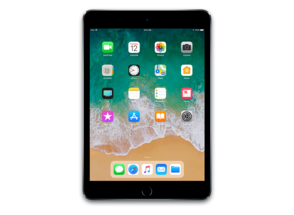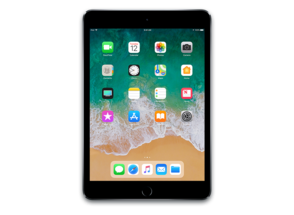
iPad7,5
About This Firmware
iPadOS 17.4 RC
(build 21E217)
is a beta IPSW for the iPad7,5,
released on February 27, 2024.
The download is 6.73 GB. This build is no longer signed by Apple. Blobs can no longer be saved for this build.
iPad_64bit_TouchID_ASTC_17.4_21E217_Restore.ipsw
Release Notes
This update introduces new emoji, transcripts in Apple Podcasts and includes other features, bug fixes, and security updates for your iPad.
Emoji- New mushroom, phoenix, lime, broken chain, and shaking heads emoji are now available in the emoji keyboard
- 18 people and body emoji add the option to face them in either direction
- Transcripts let you follow an episode with text that highlights in sync with the audio in English, Spanish, French and German
- Episode text can be read in full, searched for a word or phrase, tapped to play from a specific point and used with accessibility features such as Text Size, Increase Contrast, and VoiceOver
This update includes the following enhancements and bug fixes:
- Music recognition lets you add songs you have identified to your Apple Music Playlists and Library
- Business updates you opt into keep you informed of order status, flight notifications, fraud alerts or other transactions from trusted businesses in Messages for Business
- Apple Cash virtual card numbers enable you to pay with Apple Cash at merchants that don't yet accept Apple Pay by typing in your number from Wallet or using Safari AutoFill
- Fixes an issue where contact pictures are blank in Find My
- Safari Favorites Bar adds an option to show only icons for websites
Some features may not be available for all regions or on all Apple devices. For information on the security content of Apple software updates, please visit this website: https://support.apple.com/kb/HT201222
How to Install
iTunes / Finder
macOS & Windows- Download the .ipsw file to your computer.
- Connect your iPad7,5 to your computer via USB.
- Open iTunes (Windows / macOS Mojave and earlier) or Finder (macOS Catalina+) and select your device.
- Hold Option ⌘ (Mac) or Shift (Windows) and click Check for Update or Restore iPhone…
- Select the downloaded .ipsw file and follow the on‑screen instructions.
- Wait for the process to complete — do not disconnect the device.
DFU Mode
Recovery tipIf your device is stuck in a boot loop or not recognised by iTunes/Finder, enter DFU (Device Firmware Update) mode first, then select the .ipsw file as normal.
iPhone 8 / X and later
- Quickly press & release Volume Up
- Quickly press & release Volume Down
- Hold Side button until screen goes black
- Hold Side + Volume Down for 5 s
- Release Side, keep holding Volume Down for 5 more seconds
- Black screen = DFU active
iPhone 7 / 7 Plus
- Hold Sleep/Wake + Volume Down for 8 s
- Release Sleep/Wake, keep holding Volume Down for 5 s
- Black screen = DFU active
iPhone 6s and earlier
- Hold Sleep/Wake + Home for 8 s
- Release Sleep/Wake, keep holding Home for 5 s
- Black screen = DFU active
SHSH Blobs
Unsigned — too late to saveSHSH blobs are personalised cryptographic tickets Apple issues for a specific device and firmware. Saving blobs for a currently signed build lets you restore to it later using tools like futurerestore. iPadOS 17.4 RC is no longer signed.
A free open-source GUI app for macOS, Windows and Linux. Connect your device and save blobs with one click.
Download blobsaverCommand-line tool by tihmstar. Requires your device ECID and board config.
tsschecker -d iPad7,5 --buildid 21E217 -e [ECID] --save
Other Devices with 21E217