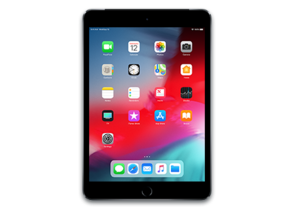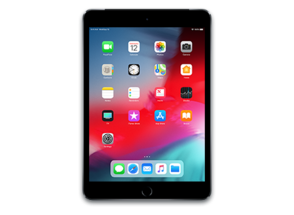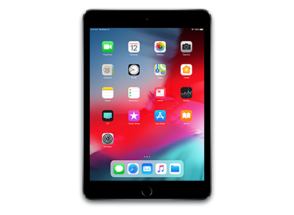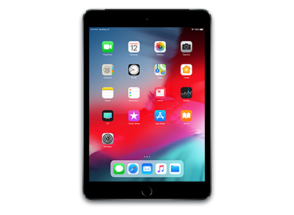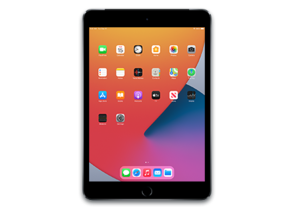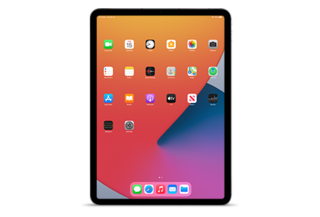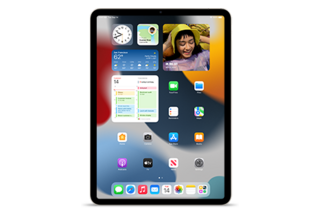
iPad8,10
About This Firmware
iPadOS 26.0 RC
(build 23A340)
is a beta IPSW for the iPad8,10,
released on September 9, 2025.
The download is 9.63 GB. This build is no longer signed by Apple. Blobs can no longer be saved for this build.
iPad_Pro_A12X_A12Z_26.0_23A340_Restore.ipsw
Release Notes
iPadOS 26 brings a new design, intelligent experiences, and big improvements to how you can be productive. A new design with Liquid Glass brings a more expressive and seamless experience to your Lock Screen and Home Screen, as well as apps, navigation, and controls. A powerful and intuitive new windowing system makes it easier to control, organize, and switch between app windows. Apple Intelligence is integrated into even more places, giving you the ability to learn more about the content on your screen, powering Live Translation features to help you communicate across languages, and unlocking new actions in Shortcuts so you can get more done fast. iPadOS 26 also includes big updates to managing files and working with audio and video, introduces new apps like Preview and Journal, and so much more.
Design- Liquid Glass makes interactions across iPadOS more delightful, refracts and reflects content in real time, and brings even more focus to what you're viewing on your screen
- Adaptive time on the Lock Screen fluidly resizes to the available space on your Lock Screen, complementing the subjects of your photos and adapting as notifications and Live Activities appear
- Spatial scenes let you add a new 3D effect to your photo wallpapers, bringing them to life when you move your iPad
- App icons get a fresh new look with Liquid Glass, and there are more ways to customize them with updated light or dark appearances, new color-tinted icons, and a new clear look
- Powerful new windowing system allows you to fluidly resize apps and place windows exactly where you want
- Window controls makes it easier to close, minimize, and make apps full screen
- Window tiling lets you arrange apps side by side, in thirds, or in quarters so you can work across more apps at once
- Exposé lets you see all your open windows at a glance
- Menu bar offers easy access to all of an app's commands, or you can use search to quickly find a specific command
- Updated list view with resizable columns and collapsible folders displays even more of your files and their details
- Open with allows you to choose the app you open a file in and, you can set the default app for a file or file type
- Folders in the Dock let you access your files and folders from anywhere
- Audio input picker in Control Center makes it easy to choose the right microphone for each app, including on the web
- Local capture records the high-quality audio and video from your iPad while on any video conferencing call, letting you produce an interview or podcast
- Background tasks allow for long running tasks to continue when you switch apps and are displayed as Live Activities so you always know what's running
- Preview is a dedicated app to view and edit PDFs that offers full support for Apple Pencil and powerful features like AutoFill, a document scanner, image editing, and various options for export
- Journal is an app where you can jot down your thoughts, illustrate, and capture moments using photos, videos, audio recordings, places, and more. Journal with your keyboard, or create entries in your own handwriting using Apple Pencil. Multiple journals let you keep entries for different aspects of your life separate, flexible layouts make entries feel beautiful and personal, and a beautiful map view makes it easy to find entries based on their location
- Apple Games is the all-in-one destination for gaming on your iPad. Access your entire game library, including new and past downloads from the App Store and Apple Arcade, and find recommendations for new games based on ones you love. Plus, challenge friends, track scores in real time, and see what else your friends are playing
- Phone app lets you make and take calls from your iPhone and use new features like Call Screening,Hold Assist, and Live Translation
- Visual Intelligence
- Learn more about the content in any app by pressing the same buttons you use to take a screenshot
- Highlight to search for something specific on your screen
- Jump into Google search results based on the content on your screen, find related items from your most-used third-party apps, or ask ChatGPT about what you’re looking at
- Live Translation
- In Messages, automatically translate incoming texts, including group messages, and send a response in your preferred language — it'll be translated when it's delivered
- In FaceTime, live translated captions appear on screen during the call
- In Phone, audio is translated and spoken out loud in real time, and you can follow along with a transcription when the call is on speaker
- With AirPods, hear a translation hands-free when someone nearby speaks to you in a different language
- Shortcuts
- Intelligent actions let you take advantage of Writing Tools, Image Playground, and other Apple Intelligence features within your shortcut
- “Use model” is a new action that lets you tap directly into Apple Intelligence models to get responses that feed into the rest of your shortcut, or use ChatGPT if you want to tap into its broad world knowledge and expertise
- Genmoji & Image Playground
- Make Genmoji by mixing two emoji together, or by combining an emoji with a description to create what you have in mind
- Choose expressions for your Genmoji of people, making characters look happy, shocked, and more
- Personal attributes like hairstyle and facial hair can be modified for the Genmoji that are inspired by people from your Photos library
- More styles with ChatGPT lets you explore additional styles like Oil Painting and Anime, or you can tap Any Style to describe the image and style you want
- Separate tabs for Library and Collections offers easier navigation, and you can access Search in every view
- Collections view can be customized with three different layout options, and it’s easy to collapse and reorder the collections
- Recognition for events like concerts and sports lets you see the details of an event and access related content
- Screening for unknown senders helps you to stay in control of who can reach you, and puts screened messages in a new area of your conversation list so they’re out of your way
- Backgrounds can be added to conversations to make them more personal, with the option to use built-in backgrounds, your own photos, or images made with Image Playground
- Polls can help you find out everyone’s availability for an upcoming dinner plan or decide on a group gift
- Typing indicators in groups make it easy to know exactly who is about to chime in
- Communication Requests give kids the ability to send requests to their parents when there are new phone numbers they want to be able to communicate with
- Convert existing accounts to Child Accounts easily to take full advantage of all available child safety protections
- Age-appropriate experiences in apps gives parents the option to enable kids to share their age range with third-party apps, so they can access content and features suited to their age group
- Communication Safety expands to intervene when nudity is detected on live FaceTime calls, and to blur out nudity in Shared Albums in Photos
- Accessibility Nutrition Labels in App Store product pages tell you if accessibility features like VoiceOver, Voice Control, and Captions are available within apps and games before you download them
- Accessibility Reader makes text in any app easier to read by giving you new ways to customize text with extensive options for font, color, and spacing, as well as support for Spoken Content
- Braille Access helps you take notes, read documents, access Live Captions, launch apps, and perform various other tasks effortlessly with your connected braille display
- New Reed Pen enables a traditional calligraphy experience when drawing in apps like Notes
- Notes lets you import and export Markdown formatted files
- FaceTime has a reimagined landing page that features personalized Contact Posters for your recent callers and video messages that play as you scroll
- Reminder Suggestions use Apple Intelligence to identify relevant tasks when you share an email, website, note, or other text to the Reminders app
- Custom snooze options let you adjust how long you can snooze when your alarm goes off, with options between 1 and 15 minutes
- Password History provides a timeline of changes you've made to an account in Passwords, including a history of past passwords and generated strong passwords
For information on the security content of Apple software updates, please visit: https://support.apple.com/100100
Some features may not be available in all regions or on all iPad models. To learn more, please visit: https://www.apple.com/ios/feature-availability
How to Install
iTunes / Finder
macOS & Windows- Download the .ipsw file to your computer.
- Connect your iPad8,10 to your computer via USB.
- Open iTunes (Windows / macOS Mojave and earlier) or Finder (macOS Catalina+) and select your device.
- Hold Option ⌘ (Mac) or Shift (Windows) and click Check for Update or Restore iPhone…
- Select the downloaded .ipsw file and follow the on‑screen instructions.
- Wait for the process to complete — do not disconnect the device.
DFU Mode
Recovery tipIf your device is stuck in a boot loop or not recognised by iTunes/Finder, enter DFU (Device Firmware Update) mode first, then select the .ipsw file as normal.
iPhone 8 / X and later
- Quickly press & release Volume Up
- Quickly press & release Volume Down
- Hold Side button until screen goes black
- Hold Side + Volume Down for 5 s
- Release Side, keep holding Volume Down for 5 more seconds
- Black screen = DFU active
iPhone 7 / 7 Plus
- Hold Sleep/Wake + Volume Down for 8 s
- Release Sleep/Wake, keep holding Volume Down for 5 s
- Black screen = DFU active
iPhone 6s and earlier
- Hold Sleep/Wake + Home for 8 s
- Release Sleep/Wake, keep holding Home for 5 s
- Black screen = DFU active
SHSH Blobs
Unsigned — too late to saveSHSH blobs are personalised cryptographic tickets Apple issues for a specific device and firmware. Saving blobs for a currently signed build lets you restore to it later using tools like futurerestore. iPadOS 26.0 RC is no longer signed.
A free open-source GUI app for macOS, Windows and Linux. Connect your device and save blobs with one click.
Download blobsaverCommand-line tool by tihmstar. Requires your device ECID and board config.
tsschecker -d iPad8,10 --buildid 23A340 -e [ECID] --save
Other Devices with 23A340