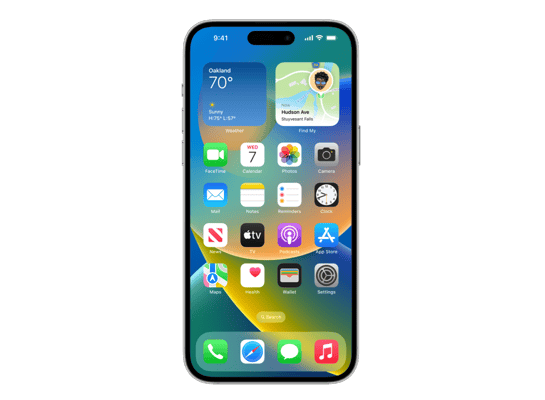
iPhone12,8
About This Firmware
iOS 26.4 RC
(build 23E244)
is a beta IPSW for the iPhone12,8,
released on March 18, 2026.
The download is 9.72 GB. This build is no longer signed by Apple. Blobs can no longer be saved for this build.
iPhone12,8_26.4_23E244_Restore.ipsw
Release Notes
This update introduces Playlist Playground and Concerts in Apple Music, and 8 new emoji, along with other features, bug fixes, and security updates for your iPhone.
Apple Music- Playlist Playground (beta) generates a playlist from your description, complete with a title, description, and tracklist
- Concerts helps you discover nearby shows from artists in your library and recommends new artists based on what you listen to
- Offline Music Recognize in Control Center identifies songs without an internet connection and delivers results automatically when you’re back online
- Ambient Music widget for Sleep, Chill, Productivity, and Wellbeing brings curates playlists to the Home Screen
- Full screen backgrounds give album and playlist pages a more immersive look
- Reduce bright effects setting minimizes bright flashes when tapping on elements like buttons
- Subtitle and caption settings are available from the captions icon while viewing media, making them easier to find, customize, and preview
- Reduce Motion setting more reliably reduces the animations of Liquid Glass for users sensitive to screen motion
- 8 new emjoji including an orca, trombone, landslide, ballet dancer, and distorted face are available in the emoji keyboard
- Freeform gains advanced image creation and editing tools, and a premium content library, joining Apple Creator Studio
- Mark reminders as urgent from the Quick Toolbar or by touching and holding, and filter for urgent reminders in your Smart Lists
- Purchase Sharing lets adult members in Family Sharing groups use their own payment method when making purchases, without relying on the family organizer
- Improved keyboard accuracy when typing quickly
For information on the security content of Apple software updates, please visit: https://support.apple.com/100100
Some features may not be available in all regions or on all iPhone models. To learn more, please visit: https://apple.com/ios/feature-availability/
Software updates, like this one, add new features and improvements that may affect performance and/or battery life. To learn more, please visit: https://support.apple.com/125039
How to Install
iTunes / Finder
macOS & Windows- Download the .ipsw file to your computer.
- Connect your iPhone12,8 to your computer via USB.
- Open iTunes (Windows / macOS Mojave and earlier) or Finder (macOS Catalina+) and select your device.
- Hold Option ⌘ (Mac) or Shift (Windows) and click Check for Update or Restore iPhone…
- Select the downloaded .ipsw file and follow the on‑screen instructions.
- Wait for the process to complete — do not disconnect the device.
DFU Mode
Recovery tipIf your device is stuck in a boot loop or not recognised by iTunes/Finder, enter DFU (Device Firmware Update) mode first, then select the .ipsw file as normal.
iPhone 8 / X and later
- Quickly press & release Volume Up
- Quickly press & release Volume Down
- Hold Side button until screen goes black
- Hold Side + Volume Down for 5 s
- Release Side, keep holding Volume Down for 5 more seconds
- Black screen = DFU active
iPhone 7 / 7 Plus
- Hold Sleep/Wake + Volume Down for 8 s
- Release Sleep/Wake, keep holding Volume Down for 5 s
- Black screen = DFU active
iPhone 6s and earlier
- Hold Sleep/Wake + Home for 8 s
- Release Sleep/Wake, keep holding Home for 5 s
- Black screen = DFU active
SHSH Blobs
Unsigned — too late to saveSHSH blobs are personalised cryptographic tickets Apple issues for a specific device and firmware. Saving blobs for a currently signed build lets you restore to it later using tools like futurerestore. iOS 26.4 RC is no longer signed.
A free open-source GUI app for macOS, Windows and Linux. Connect your device and save blobs with one click.
Download blobsaverCommand-line tool by tihmstar. Requires your device ECID and board config.
tsschecker -d iPhone12,8 --buildid 23E244 -e [ECID] --save
Other Devices with 23E244