

Screenshots
About
iMyFone LockWiper® (iOS) is an all-in-one iPhone and iPad unlocking tool with 12 years of proven performance and over 4.6 million users served. It covers every major iOS lock scenario in a single application — screen passcode removal, Apple ID and iCloud account unlocking, Screen Time passcode bypass, and MDM (Mobile Device Management) profile removal — all without requiring the original password, passcode, or technical expertise.
Where Apple's built-in recovery options require knowing the original credentials or performing a full device wipe through iTunes/Finder, LockWiper handles the most challenging lock-out situations directly: disabled devices, Security Lockout screens, second-hand phones locked to a previous owner, forgotten Apple IDs, and corporate MDM restrictions that block full device use. Screen Time removal and MDM bypass are performed without any data loss, making LockWiper the go-to solution for scenarios where preserving data matters.
The entire unlock process takes just 3 steps and completes in 2–3 minutes for most lock types. No jailbreak is involved at any stage, and the software is 100% safe and virus-free.
- Supported Devices: iPhone 5 – iPhone 17 · All iPad (mini/Air/Pro) · iPod Touch 1–7
- Supported iOS Versions: iOS 7.0 through iOS/iPadOS 26
- License Type: Freemium — Free Trial · Monthly · Annual · Lifetime · Business
- Experience: 12+ years in iOS unlocking
- Success Rate: 99%
- No Jailbreak Required: Yes
- Money-Back Guarantee: 30 Days
- Support Email: support@imyfone.com
- Developer Website: https://www.imyfone.com
- Release Year: 2015
- Last Updated: 2026
Unlock Scenarios Covered
LockWiper is designed to handle every real-world iPhone and iPad lock-out situation:
| Scenario | What Happened | LockWiper Solution |
|---|---|---|
| iPhone locked to owner | Bought a second-hand device still tied to previous owner's Apple ID | Bypass Activation Lock to activate the iPhone |
| Forgot Apple ID password | Apple ID locked or disabled after multiple failed attempts | Remove/sign out of Apple ID; regain full iCloud access |
| iPhone is Disabled / Security Lockout | Entered wrong passcode 10+ times (iOS 16.4+: shows "Security Lockout") | Unlock iPhone without erasing device |
| iPad Unavailable screen | 6th+ wrong passcode attempt; device locked for escalating time periods | Remove screen lock to restore access |
| Face ID not available | TrueDepth camera issue; Face ID no longer works | Remove all screen locks including Face ID |
| Forgot Screen Time passcode | Screen Time passcode forgotten; don't want to erase device to reset it | Remove Screen Time passcode without data loss |
| MDM restrictions | Corporate or school MDM profile blocking full device use | Bypass MDM activation screen; remove MDM profile entirely |
Key Features
1. Screen Lock Removal — All Types
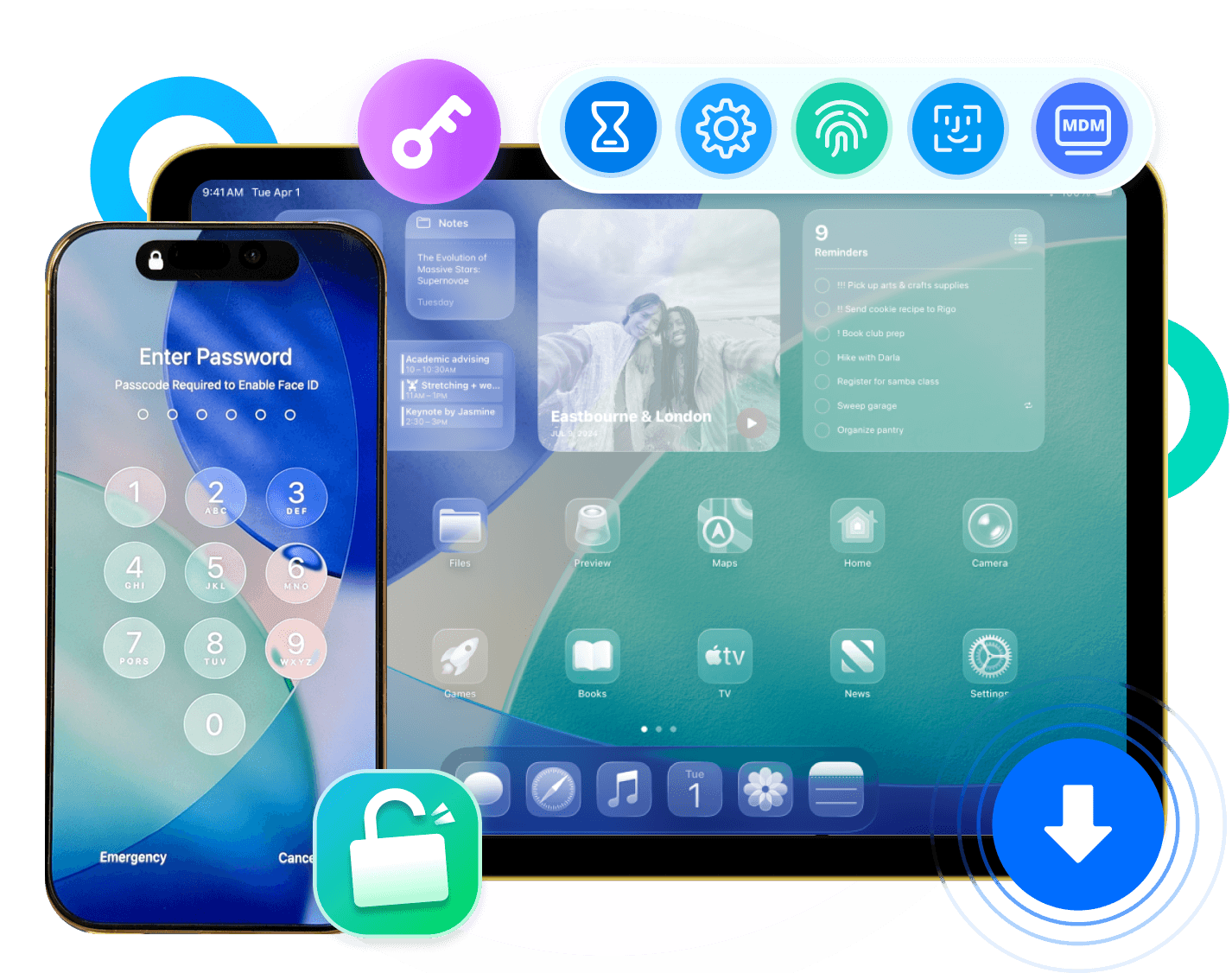
LockWiper removes all varieties of iPhone and iPad screen locks without the original passcode:
- 4-digit numeric passcode
- 6-digit numeric passcode
- Custom numeric code
- Alphanumeric passcode
- Touch ID (fingerprint)
- Face ID
Covers lock-out scenarios including forgotten passcode, broken screen preventing passcode entry, Face ID malfunction, and device disabled after too many wrong attempts.
2. Apple ID & iCloud Account Removal Without Password
LockWiper enables removal of a previous or forgotten Apple ID, even when the Find My iPhone (FMI) feature is enabled, allowing the user to log in with a new Apple ID and regain full access to all iCloud services and Apple ID features.
Behaviour by Find My iPhone status:
- FMI Off: LockWiper removes the Apple ID directly for all iOS devices and versions — no data loss.
- FMI On (iOS 11.4 and before): User is required to manually erase all settings.
- FMI On (iOS 11.4 and later): LockWiper removes Apple ID with a device passcode and Two-Factor Authentication required.
Note: LockWiper only supports unlocking of already-activated devices. Apple ID removal leads to data loss except on iOS 10.2–11.4 with Find My enabled.
3. Screen Time Passcode Removal — No Data Loss
Forgotten Screen Time passcode or unwanted Screen Time limits? LockWiper removes Screen Time restrictions safely — whether on the user's own device or through Family Sharing — without deleting any photos, messages, or other data.
4. MDM Profile Bypass & Removal
MDM (Mobile Device Management) profiles installed by employers, schools, or previous owners can block access to apps, settings, or the full device. LockWiper bypasses the MDM activation screen and removes the MDM profile entirely — without a username, password, or IT administrator involvement. No jailbreak required.
5. iTunes Detection & Repair
LockWiper can detect and repair iTunes issues that interfere with the connection process, ensuring smooth operation even when iTunes is faulty or not cooperating.
6. Full Toolkit Features (SVIP Plan)
The Full Toolkit tier bundles additional capabilities beyond unlocking:
- Bypass iCloud Activation Lock
- Bypass iOS SIM lock
- Fix 150+ iOS/iPadOS system issues
- Upgrade and downgrade iOS versions
- Back up iOS device data
- Erase all iOS device data
- Bypass Android FRP (Google Lock)
- Remove Android phone screen locks
- Screen mirror iPhone/Android to PC/Mac
Supported Lock Types — At a Glance
| Lock Type | Supported | Data Loss? |
|---|---|---|
| 4/6-digit screen passcode | ✓ | Yes (device reset) |
| Custom alphanumeric passcode | ✓ | Yes (device reset) |
| Touch ID | ✓ | Yes (device reset) |
| Face ID | ✓ | Yes (device reset) |
| Apple ID (FMI Off) | ✓ | No |
| Apple ID (FMI On, iOS ≤11.4) | ✓ | No |
| Apple ID (FMI On, iOS >11.4) | ✓ | Yes (passcode + 2FA required) |
| Screen Time passcode | ✓ | No |
| MDM profile | ✓ | No |
| iCloud Activation Lock (Full Toolkit) | ✓ | Yes |
| iOS SIM lock (Full Toolkit) | ✓ | Varies |
How It Works — 3 Simple Steps
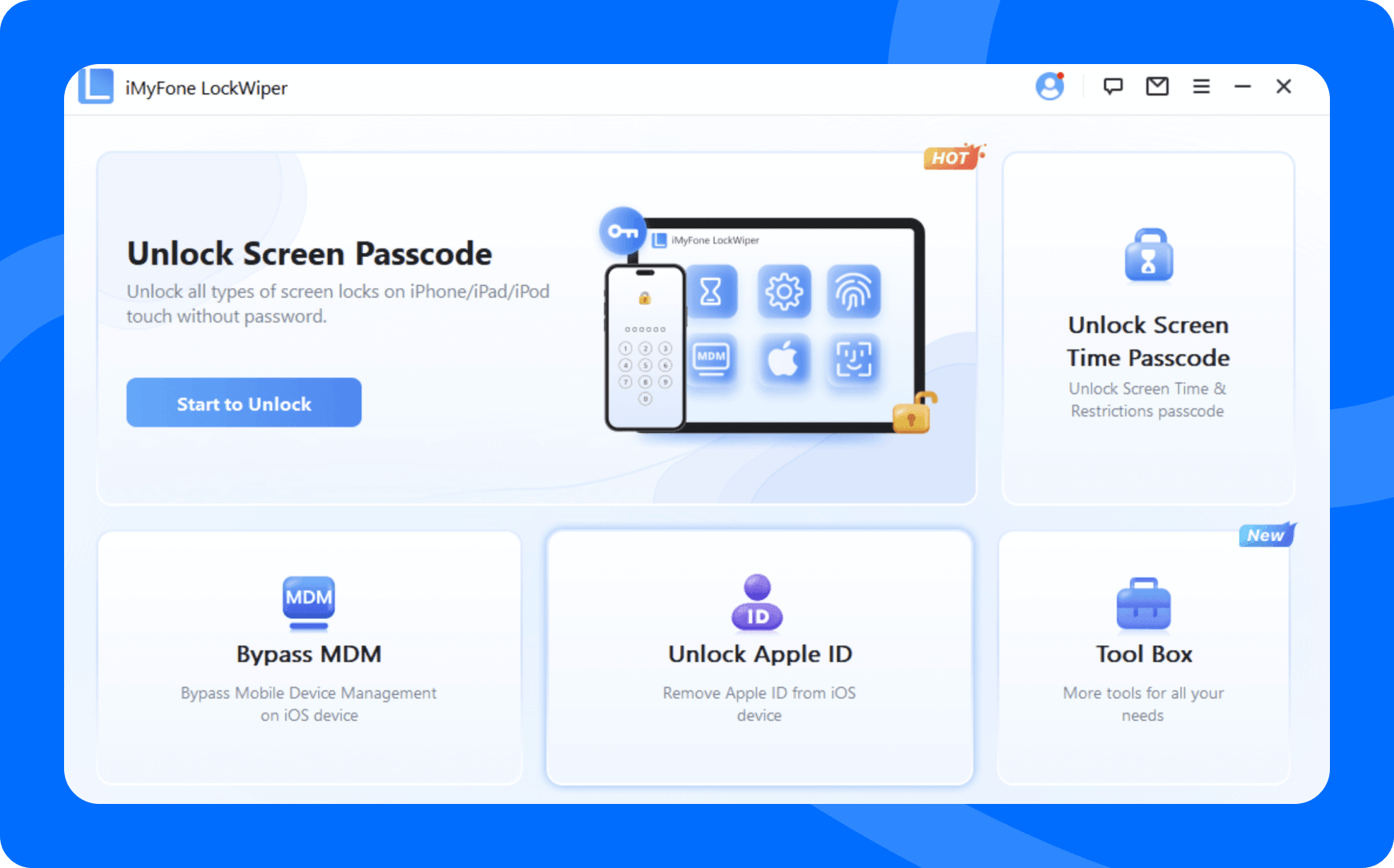
Step 1 — Launch & Select Mode Open iMyFone LockWiper on your Windows or Mac. Choose "Unlock Screen Passcode," "Unlock Apple ID," "Remove Screen Time," or "Bypass MDM" depending on the lock type.
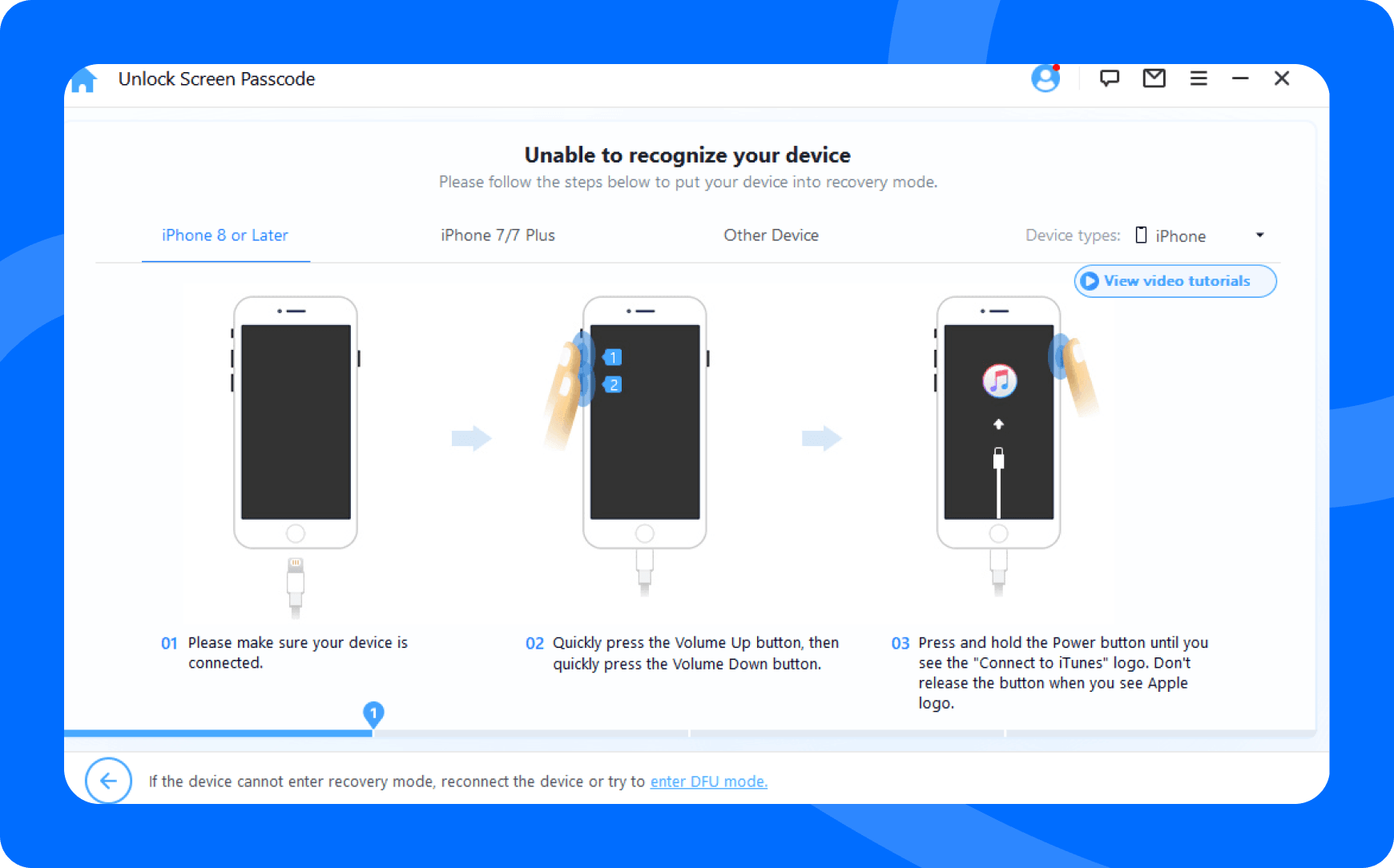
Step 2 — Connect Your Device Connect the iPhone or iPad to the computer via USB cable.
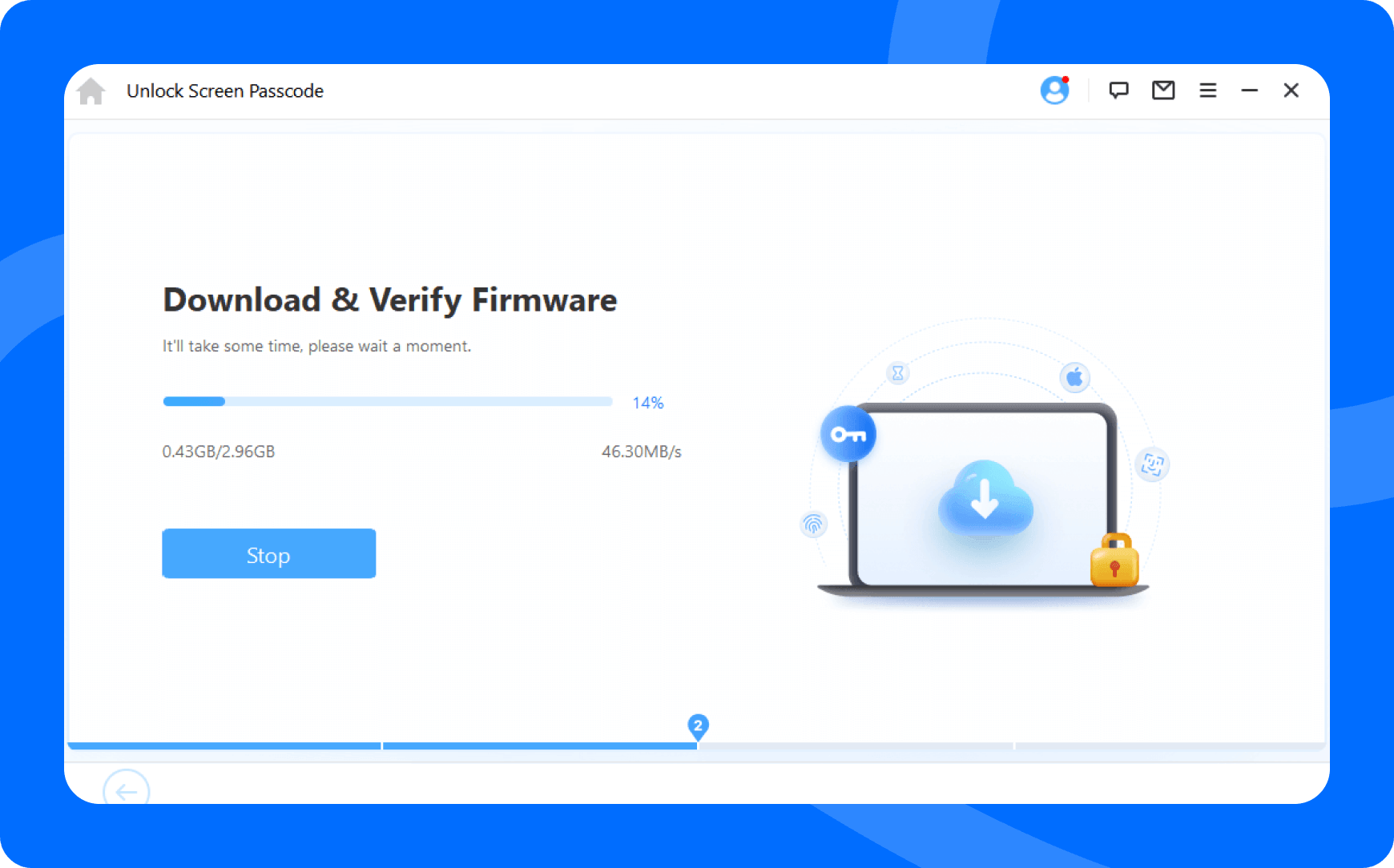
Step 3 — Start & Wait Click "Start" and wait 2–3 minutes. LockWiper downloads the required firmware (if needed) and completes the unlock automatically.
License Types & Pricing
Free Trial — Check device compatibility, enter/exit DFU or Recovery Mode, and download firmware packages. A paid license is required to perform any actual unlock, bypass, or removal.
Standard Plan (Core Unlocking)
| Plan | Devices | Key Inclusions |
|---|---|---|
| 1-Month Plan | 1 iOS device | Screen lock removal; Apple ID unlock; Screen Time removal; MDM bypass; iTunes repair; 24/7 support; cancel anytime |
| 1-Year Plan | 1 iOS device | All Monthly features; 1-year free updates; cancel anytime |
| Lifetime Plan | 5 iOS devices | All features; lifetime free updates; lifetime 24/7 VIP support; one-time purchase |
Full Toolkit / SVIP Plan (Multi-Tool Bundle)
| Plan | Devices | Price (USD) | Key Additions Over Standard |
|---|---|---|---|
| 1-Month SVIP | 1 iOS device | $49.99/mo | + iCloud Activation Lock bypass; SIM lock bypass; iOS repair; iOS upgrade/downgrade; data backup; device erase; Android FRP/lock removal; screen mirror |
| 1-Year SVIP | 1 iOS device | $79.99/yr | Same as monthly SVIP; annual billing; 24/7 support |
| Lifetime SVIP | 5 iOS devices | $89.99 | All SVIP features; one-time purchase; best overall value |
Business Plan
| Plan | Price (USD) | Key Inclusions |
|---|---|---|
| Annual Business | $39.95/yr | All features; 1-year free updates; 24/7 tech support; volume discounts; flexible payment; no attribution required; custom plans on request |
All plans include:
- 30-day money-back guarantee
- Instant license delivery by email
- Free software updates during the plan period
- 24/7 email & live chat support
Accepted Payment Methods: PayPal, Visa, Mastercard, Maestro, Visa Electron, JCB, American Express, Diners Club, Discover, UnionPay, GiroPay, Direct Debit.
Free Trial vs. Full Version
| Feature | Free Trial | Full Version |
|---|---|---|
| Check device compatibility | ✓ | ✓ |
| Enter/exit DFU / Recovery Mode | ✓ | ✓ |
| Download firmware package | ✓ | ✓ |
| Free software updates | ✓ | ✓ |
| Remove iPhone screen lock passcode | ✗ | ✓ |
| Unlock Apple ID / iCloud without password | ✗ | ✓ |
| Remove Screen Time passcode (no data loss) | ✗ | ✓ |
| Bypass MDM restrictions | ✗ | ✓ |
| Detect & repair iTunes | ✗ | ✓ |
| Free tech support | ✗ | ✓ |
Supported Devices & System Requirements
Unlockable Apple Devices
| Device Type | Models |
|---|---|
| iPhone | iPhone 5 through iPhone 17 (all models including SE generations, Plus, Pro, Pro Max) |
| iPad | iPad / iPad Mini / iPad Air / iPad Pro — all generations |
| iPod Touch | iPod Touch 1st through 7th generation |
Supported iOS/iPadOS Versions: iOS 7.0 through iOS/iPadOS 26
Computer Requirements
| Windows | macOS | |
|---|---|---|
| OS | Windows 7 / 8 / 10 / 11 | macOS 10.9 (Mavericks) through macOS 14 (Sonoma) |
| CPU | 1 GHz (32 or 64-bit) or above | 1 GHz Intel or above |
| RAM | 256 MB or more | 512 MB or more |
| Disk Space | 500 MB free minimum | 500 MB free minimum |
Common Use Cases
- Locked out of iPhone after forgetting the screen passcode
- Device showing "iPhone is Disabled" or "Security Lockout" after too many wrong attempts
- Bought a used iPhone still linked to the previous owner's Apple ID
- Apple ID locked or disabled; can't access iCloud, App Store, or iMessage
- Forgot Screen Time passcode set by a family member or parental control app
- Company-issued phone with MDM restrictions limiting personal use after leaving the organization
- School iPad with MDM profile preventing app installations or settings changes
- iPhone stuck at the Activation Lock screen with no access to the original Apple ID credentials
- Need to erase and repurpose a locked device for resale
Frequently Asked Questions
Is iMyFone LockWiper safe? Yes. LockWiper has safely unlocked various iPhone locks for 4,600,000+ users over 12 years. It works without jailbreaking, keeping devices safe throughout the process. The Privacy Policy clearly explains how user data is collected and used.
Will data be erased during unlocking? It depends on the lock type. Screen Time removal and MDM bypass preserve all data — no loss occurs. Removing a screen passcode or Apple ID (in most scenarios) requires a device reset. To protect data, ensure iCloud Backup is enabled before starting. The exception is Apple ID removal on iOS 10.2–11.4 with Find My Device enabled, which can be done without data loss.
How do I remove a previous owner's Apple ID? If you can contact the previous owner, ask them to erase the device via iCloud.com/Find My. If that's not possible, LockWiper can remove the previous owner's Apple ID without a password — the entire process takes under 5 minutes.
How much does iPhone unlocking cost? Competing tools typically range from $34.95 to $35.95 per month (e.g., Dr.Fone, 4uKey). LockWiper's Standard 1-Month Plan starts at $29.99/month with a 30-day money-back guarantee and 24/7 support included.
What is the difference between a password and a passcode? On iPhone/iPad, a password is used to log into Apple ID and iCloud. A passcode is the numeric or alphanumeric code used to unlock the device screen itself. LockWiper handles both types.
About the Developer
iMyFone Technology Co., Ltd. was founded in 2015 and is headquartered in Shenzhen, China. The company develops utility software for mobile and desktop platforms spanning data recovery, system repair, privacy tools, multimedia editors, screen mirroring, and AI voice tools.
Over 2 million customers across 200+ countries use iMyFone products, and the company has partnerships with more than 1,700 technology media outlets and YouTube channels globally.
| Contact | Details |
|---|---|
| Official Website | https://www.imyfone.com |
| Product Page | https://www.imyfone.com/unlock-iphone-passcode/ |
| Purchase Page | https://www.imyfone.com/unlock-iphone-passcode/purchase/ |
| Support Center | https://www.imyfone.com/support/ |
| How-to Guides | https://www.imyfone.com/unlock-iphone/ |
| Detailed Guide | https://www.imyfone.com/unlock-iphone-passcode/guide/ |
| Support Email | support@imyfone.com |
| Contact Page | https://www.imyfone.com/support/contact-support/ |
| https://www.facebook.com/imyfone | |
| Twitter / X | https://twitter.com/iMyFone_ |
| YouTube | https://www.youtube.com/c/imyfone |
| https://www.instagram.com/imyfone_official/ | |
| TikTok | https://www.tiktok.com/@imyfone_tips |
| Threads | https://www.threads.net/@imyfone_official |
Tags
iPhone unlocker unlock iPhone without passcode unlock Apple ID without password remove screen lock iPhone disabled iPhone fix Security Lockout iPhone Face ID remove Touch ID bypass Screen Time passcode removal MDM removal iPhone iCloud activation lock bypass iPhone locked to owner forgot iPhone passcode iPad unlocker iPod Touch unlock iMyFone LockWiper iOS unlock tool Windows macOS no jailbreak
iMyFone LockWiper® is a registered trademark of iMyFone Technology Co., Ltd. Apple, iPhone, iPad, iPod Touch, Apple ID, iCloud, Face ID, Touch ID, iOS, and iPadOS are trademarks of Apple Inc. iMyFone is not affiliated with or endorsed by Apple Inc. LockWiper is intended for use on devices you own or have explicit permission to unlock.
What's New in v4.3.0 · Nov 6, 2026
2. Message Center supports 9 more languages.
3. Fix some bugs.
Information
| 4.3.0 | |
| iMyFone Technology Co., Ltd | |
| Cross-platform | |
| Utilities | |
| 2.9 MB | |
| 80 | |
| Jun 5, 2026 | |
| Nov 6, 2026 |