Release Notes
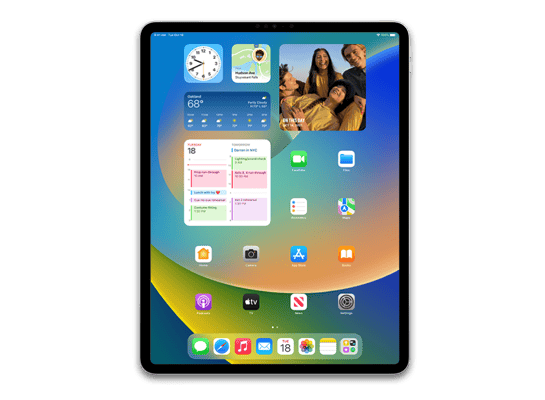
This update introduces Playlist Playground and Concerts in Apple Music, and 8 new emoji, along with other features, bug fixes, and security updates for your iPad.
Apple Music- Playlist Playground (beta) generates a playlist from your description, complete with a title, description, and tracklist
- Concerts helps you discover nearby shows from artists in your library and recommends new artists based on what you listen to
- Offline Music Recognize in Control Center identifies songs without an internet connection and delivers results automatically when you’re back online
- Ambient Music widget for Sleep, Chill, Productivity, and Wellbeing brings curates playlists to the Home Screen
- Full screen backgrounds give album and playlist pages a more immersive look
- Reduce bright effects in Accessibility Settings limits bright flashes on UI elements when tapped
- Subtitle and caption settings are easier to find when viewing media, with real-time preview available directly from the captions icon
- 8 new emjoji including an orca, trombone, landslide, ballet dancer, and distorted face are available in the emoji keyboard
- Compact tab bar option in Safari gives you more space to browse and lets you search directly from the active tab
- Open window indicator appears when you switch to an app with hidden or minimized windows
- Freeform gains advanced image creation and editing tools, and a premium content library, joining Apple Creator Studio
- Mark reminders as urgent from the Quick Toolbar or by touching and holding, and filter for urgent reminders in your Smart Lists
- Purchase Sharing lets adult members in Family Sharing groups use their own payment method when making purchases, without relying on the family organizer
For information on the security content of Apple software updates, please visit: https://support.apple.com/100100
Some features may not be available in all regions or on all iPad models. To learn more, please visit: https://www.apple.com/ios/feature-availability/
Software updates, like this one, add new features and improvements that may affect performance and/or battery life. To learn more, please visit: https://support.apple.com/125039
How to Install
iTunes / Finder
macOS & Windows- Download the .ipsw file to your computer.
- Connect your iPad13,8 to your computer via USB.
- Open iTunes (Windows / macOS Mojave and earlier) or Finder (macOS Catalina+) and select your device.
- Hold Option ⌘ (Mac) or Shift (Windows) and click Check for Update or Restore iPhone…
- Select the downloaded .ipsw file and follow the on‑screen instructions.
- Wait for the process to complete — do not disconnect the device.
DFU Mode
Recovery tipIf your device is stuck in a boot loop or not recognised by iTunes/Finder, enter DFU (Device Firmware Update) mode first, then select the .ipsw file as normal.
iPhone 8 / X and later
- Quickly press & release Volume Up
- Quickly press & release Volume Down
- Hold Side button until screen goes black
- Hold Side + Volume Down for 5 s
- Release Side, keep holding Volume Down for 5 more seconds
- Black screen = DFU active
iPhone 7 / 7 Plus
- Hold Sleep/Wake + Volume Down for 8 s
- Release Sleep/Wake, keep holding Volume Down for 5 s
- Black screen = DFU active
iPhone 6s and earlier
- Hold Sleep/Wake + Home for 8 s
- Release Sleep/Wake, keep holding Home for 5 s
- Black screen = DFU active
SHSH Blobs
Unsigned — too late to saveSHSH blobs are personalised cryptographic tickets Apple issues for a specific device and firmware. Saving blobs for a currently signed build lets you restore to it later using tools like futurerestore. iPadOS 26.4 RC is no longer signed.
A free open-source GUI app for macOS, Windows and Linux. Connect your device and save blobs with one click.
Download blobsaverCommand-line tool by tihmstar. Requires your device ECID and board config.
tsschecker -d iPad13,8 --buildid 23E244 -e [ECID] --save
Other Devices with 23E244