

iOS 27 and iPadOS 27 Public Beta 2 Now Available: Everything You Need to Know
Apple has released the second public betas of iOS 27 and iPadOS 27 — here is a complete breakdown of every new feature, what has changed since Public Beta 1, how to install it today, and what to expect before the September launch.
Apple has seeded the second public betas of iOS 27 and iPadOS 27, making them available to anyone enrolled in the Apple Beta Software Program as of Wednesday, July 22, 2026. The second betas come a week after Apple seeded the first betas. This release corresponds to what developers received as Developer Beta 4 earlier in the week — Apple has narrowed the gap between the developer and public beta channels, with Public Beta 2 arriving shortly after Developer Beta 4, meaning public testers now get the latest refinements much sooner.
Whether you are debating whether to take the plunge into beta testing or are already running Public Beta 1 and wondering what has changed, this guide covers it all.
- How to Install iOS 27 Public Beta 2
- iOS 27 at a Glance: The Big Picture
- What's New in iOS 27 Public Beta 2
- 1. Siri AI Gets a New Onboarding Splash Screen
- 2. Siri Voice Customization — "Coming Soon" Labels Added
- 3. Siri App: Customizable Chat Preview Lines
- 4. Write with Siri — Now a Persistent Keyboard Button
- 5. Wallet App Gains New "Insights" Feature
- 6. Remote Apple TV Software Updates via the Home App
- 7. RCS Messaging Improvements
- 8. Control Center: AirPods Adaptive Mode Personalisation
- 9. HomeKit Bug Fixes
- 10. iCloud Backup Alert Code Discovered
- The Big iOS 27 Features Already in Public Beta 1
- Siri AI: A Complete Reimagination
- Liquid Glass 2.0: Transparency Slider and Refined Icons
- Performance: The Fastest iOS Ever on Every Supported iPhone
- Safari: Smarter Tabs, Notify Me, and AI Extensions
- Photos: Clean Up, Extend, and Spatial Reframing
- Passwords App: Automatic Password Replacement
- Shortcuts: Build Automations in Plain Language
- AirPods: Custom EQ for the First Time
- Home App: 4K HomeKit Cameras and AI Video Search
- Screen Time and Child Safety: A Major Overhaul
- iCloud+ Perks for Paying Subscribers
- iOS 27 Beta Timeline: Where Are We?
- Device Compatibility: Who Gets iOS 27?
- Should You Install iOS 27 Public Beta 2?
- What Else Shipped Alongside iOS 27 Public Beta 2
- Looking Ahead: What to Expect Before September
- Key Takeaways
How to Install iOS 27 Public Beta 2
Getting on the public beta is free and takes only a few minutes. You can get started by signing up on Apple's beta website and then opting in to the public beta by going to Settings > General > Software Update and choosing the iOS 27 or iPadOS 27 Public Beta option.
Here is the full process:

- Back up your iPhone first — to iCloud or a Mac/PC. Beta software can include bugs, reduced battery life, and third-party app compatibility issues. A backup is non-negotiable.
- Enrol your Apple Account at beta.apple.com. Sign in with the same Apple ID you use on your iPhone and accept the program terms.
- On your iPhone, go to Settings → General → Software Update → Beta Updates.
- Select iOS 27 Public Beta and return to the Software Update screen.
- Tap Update Now when the beta appears.
The download is approximately 5–8 GB and takes roughly an hour. Apple recommends installing beta software on a secondary device, but if you are using your primary iPhone, ensure that recent backup is in place first.
Note on the EU: Siri AI initially supports select English variants, and it will not launch in the EU right away.
iOS 27 at a Glance: The Big Picture
Before diving into what is new in Public Beta 2 specifically, it helps to understand what iOS 27 is all about as a whole.
Apple announced iOS 27 at WWDC 2026, and the message this year is quite simple: this one is faster, more polished, and comes loaded with new Apple Intelligence features, including the new Siri AI. The headline performance numbers are significant — Apple claims 30% faster app launches, 80% faster AirDrop transfers, and enhanced responsiveness for older iPhones.
iOS 27 expands Apple Intelligence, Apple's generative AI system, with improved Writing Tools and the ability to generate images with a private cloud model. Resource-heavy features, such as image generation, have daily limits. Higher usage of these features is available to paid iCloud+ subscribers, excluding users of the 50 GB tier. Advanced capabilities, like custom Siri voices, are restricted to the iPhone 17 Pro and iPhone Air.

The update lands as Apple's equivalent of a "Snow Leopard" year — iOS 27 improves contrast and adds a slider so users can choose how transparent the interface looks, addressing a common complaint that Liquid Glass sometimes hurt readability. But it is far from a quiet, feature-free release. Read on for the full picture.
What's New in iOS 27 Public Beta 2
1. Siri AI Gets a New Onboarding Splash Screen
The new Siri AI experience now begins with a dedicated splash screen the first time you launch it after updating to iOS 27 Public Beta 2. The screen highlights Siri's AI-powered capabilities, explains how the assistant works, and introduces key privacy features before you start using it.
This is more than cosmetic polish. Apple is clearly aware that the new Siri — rebuilt from the ground up to be more like a conversational AI assistant than the transactional voice shortcut tool of old — represents a fundamental change in how iPhone users will interact with their device. The splash screen is Apple's way of ensuring users understand what they are getting before they start using it.
Siri in iOS 27 is more similar to Claude or ChatGPT than the prior version of Siri, with a dedicated Siri app for back-and-forth conversations. The assistant can search the web, access your personal information, see what's on your screen, and take actions in and across apps.
Siri AI comes with an intuitive look with a wave-like animation that appears from within the Dynamic Island, and also gets its own standalone app.
2. Siri Voice Customization — "Coming Soon" Labels Added
The Siri voice customization feature available on the iPhone 17 Pro and iPhone Air now has Pace and Expressivity labeled as "Coming Soon." The options did not work in the first iOS 27 beta.
The Pace and Expressivity controls will allow users on supported devices to fine-tune how Siri sounds when speaking — adjusting how fast or slow and how emotionally varied the delivery is. The "Coming Soon" labels are a reliable signal that Apple plans to enable these in a future beta build before September's launch.

3. Siri App: Customizable Chat Preview Lines
The Siri app now lets you customize how many lines of preview text are displayed for each previous chat. This quality-of-life improvement helps users quickly scan their Siri conversation history, making the app feel less like a temporary interface and more like a persistent assistant with a genuine session history — a shift that reflects how substantively the role of Siri is evolving in iOS 27.
4. Write with Siri — Now a Persistent Keyboard Button
One of the flagship iOS 27 features lands more prominently in Public Beta 2. There is a new Write with Siri button above the keyboard in Notes, Mail, Messages, and more. It makes it easier to locate the option to use Siri for writing. In the first beta, the Write with Siri tool was only available when selecting text.
Apple has made Write with Siri harder to miss in iOS 27 beta 2, which may be the point. The persistent keyboard button means users do not need to select text first — they can simply tap the button and dictate or type a prompt for Siri to draft, edit, or proofread their content on the spot. This mirrors the workflow of dedicated AI writing tools, but baked directly into Apple's core apps.
5. Wallet App Gains New "Insights" Feature
The Wallet app has a new "Insights" feature that's accessible by tapping on the three-dot icon in the upper right corner. Insights is not fully implemented, but a splash screen for the feature says users will be able to connect accounts to Wallet to see spending insights, recurring transactions, account balances, and more. Apple says up-to-date account information will be available through the feature.
This positions Apple Wallet as a genuine personal finance hub rather than just a digital card storage app. The ability to pull in bank balances, track recurring payments, and visualise spending patterns brings Wallet closer to territory occupied by apps like Mint, Copilot, and Monarch Money — and suggests Apple sees financial oversight as a category worth owning more deeply.
6. Remote Apple TV Software Updates via the Home App
In iOS 27 beta 2, Apple updated the Home app to add support for remotely updating an Apple TV. The Apple TV is now listed in the Updates section of the Home app's Settings interface, and tapping on the Apple TV update button installs the latest software without needing to turn on the Apple TV.
If you have ever had to dig out your Siri Remote just to approve a tvOS update, this change will be immediately welcome. The Home app now serves as a remote management hub for Apple TV hardware, completing a long-standing gap in the ecosystem where iPhones could manage HomePods and other HomeKit devices but not the living room's most important Apple box.
7. RCS Messaging Improvements
RCS messaging gains inline replies and properly displayed emoji reactions in cross-platform conversations. These improvements bring the iOS 27 RCS experience closer to parity with the iMessage feature set — inline replies let you directly respond to a specific message in a thread rather than replying to the most recent one, while proper emoji reaction rendering means Android users' reactions now display as they intended rather than as text strings.
8. Control Center: AirPods Adaptive Mode Personalisation
Control Center now lets you personalize Adaptive mode for AirPods to your liking. Adaptive mode on AirPods Pro automatically blends transparency and noise cancellation based on the ambient sound environment. Being able to tune this preference directly from Control Center — without diving into Settings — makes it significantly more accessible for everyday adjustment.
9. HomeKit Bug Fixes
A beta 1 bug that broke HomeKit accessories, including Philips Hue lights, causing them to become unresponsive after installing iOS 27 and tvOS 27, has been fixed. This was one of the most reported issues in Public Beta 1, making this fix particularly significant for the large segment of beta testers who run HomeKit smart home setups.
10. iCloud Backup Alert Code Discovered
The beta also includes code for a new iCloud backup alert. The message reads, "There's a problem with our server, so you may not be able to backup or restore your device right now. Try again later." This suggests Apple is building more proactive, in-the-moment server status communication into iOS — alerting users to iCloud issues as they happen rather than leaving them to troubleshoot in the dark.
The Big iOS 27 Features Already in Public Beta 1
Public Beta 2 is a polish and refinement release. The headline features landed in Public Beta 1, Developer Beta 1 (June 8), and the subsequent developer betas throughout June and July. Here is a full overview of what makes iOS 27 the most significant update since iOS 16.
Siri AI: A Complete Reimagination
Siri AI is a more capable version of Siri that can search the web, access your personal information, see what's on your screen, and take actions in and across apps. This is the centrepiece of iOS 27 — a ground-up reconstruction of Siri from a voice command shortcut into a persistent, conversational AI assistant.
Siri's new look features a wave-like animation that appears from within the Dynamic Island. The visual redesign signals the shift in Siri's role: it is no longer a quick-access tool at the edge of the interface, but a central, continuous presence within it.
The full Siri AI experience and advanced Apple Intelligence features require an iPhone 15 Pro or newer. Older supported models still get the redesigned performance improvements but will not have access to the most capable AI features.
Liquid Glass 2.0: Transparency Slider and Refined Icons
Apple is still betting on Liquid Glass, but now with iOS 27, there is a new Liquid Glass adjust slider where you can go with full transparency or add a full frosted look.
The feature to try first is the new Liquid Glass customization slider. You'll find it under Settings → Appearance. It ranges from ultra-clear to fully tinted and applies across iOS and third-party apps.
This directly addresses the most persistent criticism of iOS 26's design language: that the Liquid Glass effect, particularly in dense UI environments, hurt text readability. Despite early teething problems surrounding the interface's readability and the surprise departure of Apple's top software design brass at the end of last year, Liquid Glass is not going anywhere. But it is now yours to tune.
Icons have also been updated; they now look sharper with additional refraction layers.
Performance: The Fastest iOS Ever on Every Supported iPhone
Apple's promised iOS 27 speed improvements extend beyond its newest hardware. The company says apps can launch up to 30% faster. Nearby AirDrop transfers can finish up to 80% faster. New captures can also appear in Photos up to 70% faster. Apple optimized the CPU scheduler all the way back to iPhone 11. In addition, unlocking, Home Screen navigation, Control Center scrolling, and Lock Screen switching should feel smoother. Camera launches faster in Low Power Mode.
Since iOS 27 is available for the iPhone 11 or later devices, older devices can also feel faster after upgrading to iOS 27. Early beta testers are already corroborating this — forum posts note that even an iPhone 12 Pro feels "blazing fast" on the beta, a rarity for pre-release software.
iOS 27 also moves between Wi-Fi and cellular data more intelligently. Your iPhone should be less likely to cling to a weak network as you leave home. Apple rebuilt search across Spotlight, Photos, and Mail.
Safari: Smarter Tabs, Notify Me, and AI Extensions
Safari can automatically organize tabs by topic. It also groups bookmarks and Reading List items while surfacing recently closed topics on the Start Page. In addition, Notify Me can watch a webpage for a change, such as an item coming back in stock. Safari can even create a specialized extension from a natural-language description.
The Notify Me feature alone is one of the most practical additions in years — the ability to set a stock alert on a product page, or to be notified when a flight price drops, without installing a third-party app or trusting your data to an external service.
Photos: Clean Up, Extend, and Spatial Reframing
Photos adds three powerful editing tools. Clean Up handles larger and more complex distractions. Extend generates content beyond the existing frame. Finally, Spatial Reframing lets you adjust the apparent camera position after taking a picture.
Clean Up, which debuted in iOS 18 for removing unwanted objects from photos, gets a significant capability upgrade in iOS 27 — it can now handle larger, more complex subjects. Extend is perhaps the most dramatic of the three: it uses generative AI to hallucinate what exists just outside your photo's edges, effectively giving you a wider crop of a photo that was never taken. Spatial Reframing, meanwhile, lets you subtly shift the virtual camera position post-capture — useful for fixing slightly off-centre portrait compositions.
Passwords App: Automatic Password Replacement
The Passwords app can automatically replace eligible weak or compromised passwords. It handles verification codes and shows its progress in a Live Activity. This builds on the Passwords app introduced in iOS 18 and takes it a step further: rather than simply flagging weak passwords, iOS 27 can now go out and change them on supported websites automatically, with a Live Activity showing you real-time progress.
Shortcuts: Build Automations in Plain Language
Shortcuts: Build automations from plain-language descriptions. This is one of the most accessibility-forward improvements in iOS 27. The Shortcuts app has always been powerful but intimidating for non-technical users. The ability to simply describe what you want an automation to do — "every morning at 7 AM, turn on my coffee maker and read me today's weather" — and have iOS build the shortcut for you removes the last major barrier to using the most capable tool in iOS.
AirPods: Custom EQ for the First Time
AirPods gain Custom EQ for the first time. Custom EQ is available for AirPods 4, AirPods Pro 2, AirPods Pro 3, and AirPods Max 2. This long-requested feature lets users manually tune the highs, mids, and lows of their AirPods audio output — a capability that audiophile and casual listeners alike have wished for since AirPods launched in 2016.
Home App: 4K HomeKit Cameras and AI Video Search
The Home app supports 4K video cameras, and there are new child safety controls for parents. Home adds more reliable HomeKit Secure Video recording and native 4K camera support with eligible hardware and iCloud+ service.
The Home app's AI video features — which let you search security footage using natural language ("show me when the delivery arrived yesterday afternoon") — require an iCloud+ plan with at least 2TB of storage.
Screen Time and Child Safety: A Major Overhaul
iOS 27 includes a redesigned Screen Time experience and child safety improvements. Ask to Browse will extend the familiar Ask to Buy flow to websites. Children can also request permission before contacting someone new. These additions significantly deepen Apple's parental control ecosystem, giving parents oversight of not just app purchases but web browsing and new communications contacts.
iCloud+ Perks for Paying Subscribers
Higher usage of these features is available to paid iCloud+ subscribers, excluding users of the 50 GB tier. In the Home app, Apple Intelligence-powered camera features require an iCloud+ plan with at least a 2TB tier.
The two additional iCloud+ perks in iOS 27 include increased daily usage limits for Apple Intelligence features like image generation in the revamped Image Playground app, and HomeKit Secure Video cameras now support generated video descriptions and natural language video search.
iOS 27 Beta Timeline: Where Are We?
Apple released developer beta 1 on June 8, 2026, immediately after the WWDC 2026 keynote. Developer beta 2 arrived on June 22, 2026.
| Date | Release |
|---|---|
| June 8, 2026 | iOS 27 announced at WWDC; Developer Beta 1 released |
| June 22, 2026 | Developer Beta 2 |
| July 6, 2026 | Developer Beta 3 |
| July 13, 2026 | Public Beta 1 — open to all |
| July 20–21, 2026 | Developer Beta 4 |
| July 22, 2026 | Public Beta 2 — today's release |
| September 2026 (expected) | iOS 27 Final Release |
The full version is expected in mid-September 2026, in line with Apple's years-long habit of shipping its major iOS update in the second week of September, next to the new iPhones.
Device Compatibility: Who Gets iOS 27?
iOS 27 supports every iPhone that ran iOS 26, including the iPhone 11 and iPhone SE (2nd generation). No devices were dropped this year.
This is welcome news for users of older hardware. The performance optimisations — a redesigned CPU scheduler that delivers up to 30% faster app launches across the board — are specifically tuned all the way back to the iPhone 11's A13 Bionic chip, meaning older devices genuinely benefit rather than just receiving the update with no tangible improvement.
| Feature | Minimum Device Required |
|---|---|
| iOS 27 (all features) | iPhone 11 / iPhone SE 2nd Gen |
| Apple Intelligence (standard) | iPhone 15 Pro or newer |
| Siri AI (full experience) | iPhone 15 Pro or newer |
| Siri Voice Customisation (Pace/Expressivity) | iPhone 17 Pro / iPhone Air |
| Custom Siri Voices (advanced) | iPhone 17 Pro / iPhone Air |
| Home AI Camera Features | 2TB iCloud+ plan required |
Should You Install iOS 27 Public Beta 2?
Here is a practical verdict for different types of users:
Install it if you: are a developer or tech enthusiast, have a secondary iPhone available, want early access to Siri AI and the Liquid Glass slider, or are comfortable with occasional bugs in exchange for early features.
Wait for the final release if you: rely on your iPhone for work, use banking apps or enterprise tools that may have beta compatibility issues, or depend on any apps that have not yet updated for iOS 27.
While the update focuses on polish rather than major additions, it still brings several useful improvements across the system. Public Beta 2 is more stable than most early betas — early testers note it feels snappier than Beta 1 — and the HomeKit bug fix in particular makes it a meaningfully better experience for smart home users than the first public beta.
If you find issues, use the built-in Feedback Assistant app to report them directly to Apple. Every report contributes to a more stable September launch.
What Else Shipped Alongside iOS 27 Public Beta 2
Apple's July 22 beta release was not limited to iPhone software. Public beta 2 is rolling out now for iPadOS 27, tvOS 27, HomePod 27, and more. The macOS Golden Gate Public Beta 2 also shipped on the same day, giving Mac users the same opportunity to test Apple's desktop counterpart to iOS 27's headline features.
If you are running the developer betas from Monday, nothing has changed since then. Apple just typically spaces out the release of developer and public betas by a day or more. This staggered release pattern ensures that if any major issues are discovered in a developer beta, Apple can implement fixes before the wider public beta ships.
Looking Ahead: What to Expect Before September
The beta cadence suggests Apple has approximately six to eight weeks of refinement remaining before the final iOS 27 release. Based on Apple's standard annual cycle, expect:
- Developer Beta 5 and 6 through August, adding the remaining "Coming Soon" features (Siri Pace/Expressivity, Wallet Insights) and continuing bug fixes
- Release Candidate (RC) seeded to developers approximately one week before the public launch — typically the first or second week of September
- iOS 27 Final released to all users on the same day as the iPhone 18 announcement event, currently expected in the second week of September 2026
The iPhone 18 and iPhone Fold — Apple's first foldable iPhone — are both expected to launch running iOS 27 out of the box, with the Fold in particular set to showcase iPadOS 27's multitasking enhancements on its larger inner display.
Key Takeaways
- Public Beta 2 of iOS 27 and iPadOS 27 is available now via beta.apple.com — free to all iPhone 11 and newer users
- New in Public Beta 2: Siri AI onboarding splash screen, Write with Siri persistent keyboard button, Wallet Insights feature preview, remote Apple TV updates via Home app, RCS inline replies, Control Center AirPods Adaptive mode personalisation, HomeKit bug fixes
- Core iOS 27 features already available since earlier betas include: Siri AI conversational assistant, Liquid Glass transparency slider, 30% faster app launches, 80% faster AirDrop, AI photo editing tools (Clean Up, Extend, Spatial Reframing), Safari auto tab organisation, AirPods Custom EQ, and rebuilt Screen Time child safety controls
- Final release is expected in September 2026 alongside the iPhone 18 lineup
- No devices dropped — iOS 27 supports every iPhone that ran iOS 26, starting with the iPhone 11
You Might Also Like

Jun 16, 2026
iOS 27 Release Date: Public Beta, Final Launch Date & Full Timeline
When is the iOS 27 release date? Here's the complete timeline, from the June 8 Developer Beta and July Public Beta to the final launch expected in September 2026.
Read more →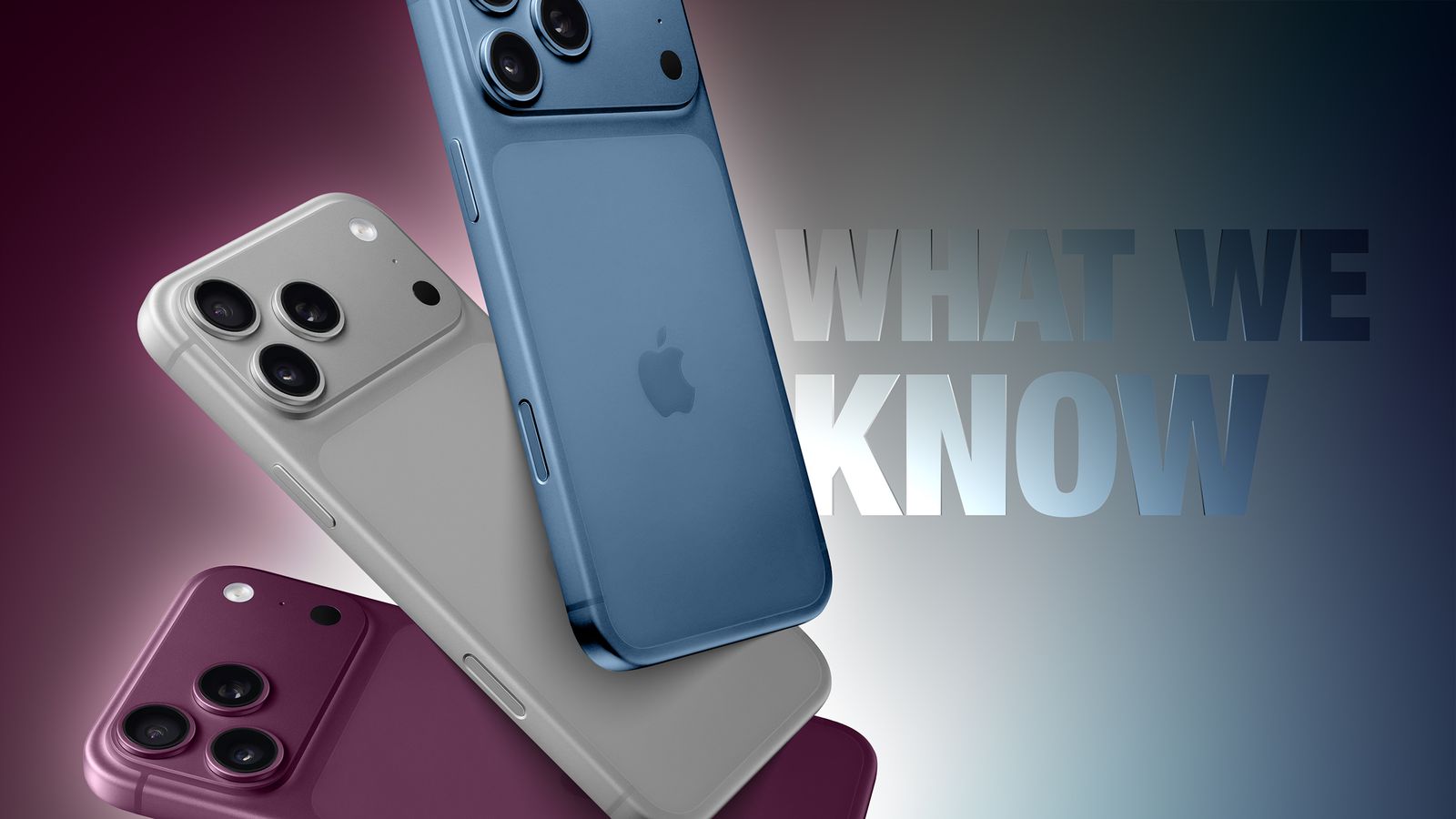
Sep 5, 2026
iPhone 18 Pro Max: Release Date, Price, Specs, and Everything We Know So Far
iPhone 18 Pro Max rumors point to a 2nm A20 Pro chip, a smaller Dynamic Island, a variable aperture camera, and a bigger battery. Here's everything expected ahead of Apple's September 2026 event.
Read more →
Jun 4, 2026
Apple Firmware Keys
Learn everything about Apple firmware keys — how iOS firmware encryption works, the role of GID keys, IMG2/IMG3/IMG4 file formats, and how researchers decrypt firmware for security analysis
Read more →
Aug 8, 2026
Apple Raises Trade-In Values for iPhone, iPad, Mac, and Apple Watch — Here's What Changed
Apple has boosted US trade-in values for most iPhone, iPad, Mac, and Apple Watch models, with some Macs jumping nearly 30%. Here's the full breakdown.
Read more →
Jun 5, 2026
How to Recover Permanently Deleted Videos on iPhone
If you deleted videos on your iPhone and want to recover them, this quick guide on how to recover permanently deleted videos on iPhone is all you need.
Read more →
Jun 7, 2026
macOS Ventura
macOS Ventura (version 13) is Apple's nineteenth major operating system for Mac. It introduces advanced multitasking with Stage Manager, improves ecosystem continuity by letting you use your iPhone as a webcam, and adds iOS-style Clock and Weather apps directly to your desktop.
Read more →
Comments
No comments yet. Be the first to comment!
Leave a Comment
Sign in to comment
Join the conversation with your account or continue as a guest.