
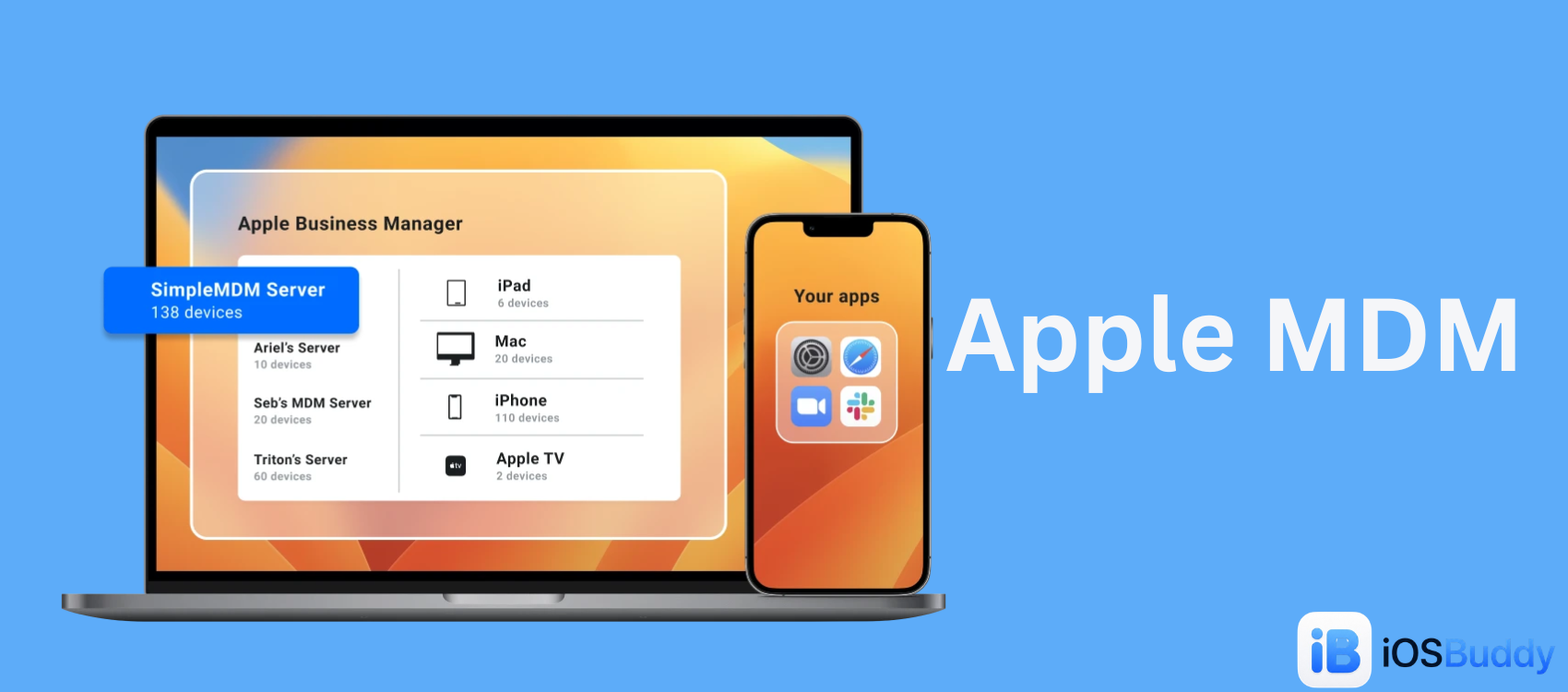
Apple MDM
Mobile Device Management (MDM) for Apple allows organizations to securely configure, monitor, and manage iPhones, iPads, Macs, and Apple TVs remotely.
Apple Mobile Device Management (Apple MDM) is a framework and protocol built into Apple operating systems (iOS, iPadOS, macOS, tvOS, and watchOS) that allows third-party vendors and IT administrators to remotely manage and secure corporate-owned and personally-owned devices. Unlike general Mobile Device Management, the Apple MDM ecosystem relies on native Apple protocols, specifically the MDM protocol and the Apple Push Notification Service (APNs), rather than device agents or root access.[1]
As Apple devices became ubiquitous in the enterprise, Apple MDM evolved from a simple configuration tool into a comprehensive security and productivity framework. It supports specific deployment models such as BYOD (Bring Your Own Device), COPE (Corporate Owned, Personally Enabled), and Supervised modes.
Overview
The Apple MDM framework was introduced to address the consumerization of IT. Traditional IT management software often relied on installing background agents to monitor devices. Due to iOS's sandboxed architecture, this approach was impossible. Apple solved this problem by building management capabilities directly into the operating system.[2]
Apple MDM is used to manage iPhones, iPads, Macs, and Apple TVs in enterprise and education environments. The framework is supported by Apple's enterprise programs: Apple Business Manager (ABM) and Apple School Manager (ASM).
How Apple MDM Works
Unlike legacy systems that require constant polling, Apple MDM operates on a push-based architecture. This design preserves battery life and data usage while ensuring real-time command execution.[3]
The ecosystem consists of three core components:
- The MDM Server (Third-party solution): The central console (for example, Jamf, Kandji, Mosyle, or ManageEngine) where administrators write policies, deploy apps, and issue commands.
- APNs (Apple Push Notification Service): Apple's global notification service acts as a wake-up service. When the MDM server needs to communicate with a device, it sends a wake-up signal via APNs. APNs is strictly a wake-up service; it does not transmit corporate data. It only tells the device to check in with its server.[4]
- The Device (iOS/iPadOS/macOS): When the device receives the APNs notification, it initiates a secure HTTPS connection back to the MDM server. The device then reports its status and checks out any pending commands, such as "Install App," "Wipe Device," or "Change Password."
Security and Certificates
Security in Apple MDM relies heavily on Public Key Infrastructure (PKI). Communication requires valid SSL certificates. During enrollment, the device presents a unique identity certificate to the server. To ensure the connection is not intercepted, the MDM payload is installed via a configuration profile, which tells the device which Root CA to trust.[5]
Management Frameworks
Apple Business Manager (ABM)
Apple Business Manager is a web-based portal from Apple that automates deployment. When an organization buys devices directly from Apple or an authorized reseller, the devices automatically appear in the ABM portal. Administrators can assign these devices to an MDM server before the employee opens the box. This process, known as zero-touch deployment, ensures devices are enrolled in MDM during the Setup Assistant, before the user reaches the Home Screen.[6]
Supervision
Supervision is a state that indicates an organization owns the device. Supervised devices grant IT additional restrictions that are not possible on unsupervised or BYOD devices. These restrictions include silently removing apps, booting into a kiosk mode, or filtering web content. While Automated Enrollment (ABM) enables supervision, devices can also be supervised using Apple Configurator on a Mac for devices not purchased through ABM.[7]
Ownership Models and Privacy
Apple prioritizes user privacy within its MDM framework. The level of control IT has depends on the ownership model.
| Feature | BYOD (User Enrollment) | Corporate (Supervised) |
|---|---|---|
| Device Ownership | Employee | Company |
| Privacy | IT cannot see personal photos, Safari history, or personal app data. | IT has full view of inventory (apps installed, OS version) but cannot access personal messages. |
| Wipe Capability | Selective Wipe only (removes work data, keeps photos). | Full Wipe (Factory Reset). |
| App Installation | User must approve. | Silent or Forced Installation. |
| Typical Use Case | Bring your own phone to check email. | Company issues iPhone for sales team. |
Core Capabilities
Apple MDM solutions provide a unified console to execute hundreds of commands. The key capabilities include:
- Configuration: Automatically setting up Wi-Fi, VPN, email accounts, and SCEP (Simple Certificate Enrollment Protocol) for network authentication.
- Security Enforcement: Enforcing complex passcodes, enabling FileVault (Mac disk encryption), and initiating Lost Mode to track or lock missing devices.
- Application Management: Using Apple's Volume Purchase Program (VPP) to buy and assign apps without requiring a personal credit card or Apple ID. It also allows management of Managed Open In, which prevents corporate data from being pasted into a personal app.[8]
- Compliance and Auditing: Generating reports on jailbroken or rooted devices, hardware inventory, and compliance with frameworks like CIS, HIPAA, or GDPR.
Apple MDM Solutions (Vendors)
Because Apple provides the framework but not the end-user dashboard, organizations must purchase an MDM solution from a third party. The market includes:
- Jamf Pro: Considered the enterprise standard. It offers deep integration with Apple's APIs, extensive customization through Smart Groups, and a large library of automation scripts.[9]
- Kandji: A solution focused on automation and user experience. It utilizes Blueprints (pre-built templates) and features Liftoff for rapid deployment, appealing to organizations without dedicated Apple admins.[10]
- Mosyle: Known for high value at a low cost, offering a free tier for up to 30 devices. It focuses exclusively on Apple and combines MDM with identity management and endpoint security.[11]
- ManageEngine, SimpleMDM, and VMware Workspace ONE: Popular cross-platform alternatives that handle Apple devices alongside Windows and Android.
Challenges and Best Practices
User Privacy Balancing Act
On macOS, due to security hardening such as Transparency, Consent, and Control (TCC), MDM solutions require PPPC (Privacy Preferences Policy Control) profiles. To back up a Mac or scan for viruses, the MDM must either explicitly ask the user for Full Disk Access or pre-approve it via a configuration profile.[12]
Migration
Migrating from one MDM to another is complex. Because MDM profiles are deeply embedded, migrating devices enrolled via ABM often requires erasing the device to reassociate the serial number with a new server in ABM. Macs can sometimes be migrated via a command, but a full wipe is the most reliable method for iOS.
Best Practices for Deployment
- Use Automated Enrollment: Avoid manual profile downloads. Always link ABM to your MDM for non-removable management.
- Leverage Smart Groups: Use dynamic groups, such as "All iPads on iOS 17.3," to deploy updates incrementally rather than all at once.
- Implement Bootstrap Tokens (Mac): This allows your MDM to escrow the user's FileVault key, preventing a situation where IT cannot unlock an encrypted Mac.[13]
See Also
- Apple Business Manager
- Mobile device management
- iOS deployment
- Configuration profile
References
- Apple Developer Documentation - Mobile Device Management
- Apple Platform Deployment Guide - Introduction to MDM
- Apple Developer Documentation - APNs Overview
- Apple Security Guide - APNs Security
- Apple MDM Guide - Certificates and Identity
- Apple Business Manager Guide - Automated Device Enrollment
- Apple Configurator Guide - Supervising iOS Devices
- Apple Developer - Volume Purchase Program
- Jamf Official Website
- Kandji Official Website
- Mosyle Official Website
- Apple Security Guide - Transparency, Consent, and Control (TCC)
- Apple Deployment Guide - Bootstrap Tokens for Mac
You Might Also Like
Jun 10, 2026
What's New in SwiftUI at WWDC 2026: The Complete Developer Guide for iOS 27 and Xcode 27
WWDC 2026 brings foundational architectural changes and critical quality-of-life upgrades to SwiftUI for iOS 27 and Xcode 27. This release focuses heavily on performance plumbing, container ergonomics, and integrating Apple's new AI coding ecosystem.
Read more →
Jun 16, 2026
iOS 26.6 Beta 2 Released: Performance Improvements, Bug Fixes, and Hidden Changes
Apple has officially released iOS 26.6 Beta 2 to developers, continuing its work on refining the iOS 26 experience while development of iOS 27 moves forward. Although this update does not introduce major new features, it focuses heavily on performance, stability, security, and bug fixes.
Read more →
Jun 13, 2026
iOS 27 Beta 1: Every New Feature, Release Date & Compatible iPhones (2026)
iOS 27.0 Developer Beta 1 was released by Apple on June 8, 2026, following the WWDC 2026 keynote event. This milestone update heavily advances Apple Intelligence features, redesigns essential core system mechanics, and introduces new device customization levels.
Read more →
Jun 27, 2026
ASR (Apple Software Restore)
ASR (Apple Software Restore) is Apple’s native command-line utility used to efficiently copy disk images to a target volume, clone drives, and restore system snapshots. It is the powerful, invisible backend engine that drives the graphical "Restore" feature in macOS's Disk Utility.
Read more →
Jun 4, 2026
Apple Beta Software Program
The Apple Beta Software Program enables users to try early versions of iOS, iPadOS, macOS, watchOS, tvOS, HomePod software, and AirPods firmware before they are officially released, helping Apple identify bugs and improve performance and usability
Read more →
Jun 14, 2026
How to install iPadOS 18 on iPad 6 via Tethered Dualboot or Restore using upRa1n
upRa1n lets you tethered dualboot or restore iPadOS 18 on an iPad 6 (Wi-Fi & Cellular). Full step-by-step setup guide covering dependencies, installation, known fixes, and how it works under the hood.
Read more →
Sep 5, 2026
iPhone 18 Pro Max: Release Date, Price, Specs, and Everything We Know So Far
iPhone 18 Pro Max rumors point to a 2nm A20 Pro chip, a smaller Dynamic Island, a variable aperture camera, and a bigger battery. Here's everything expected ahead of Apple's September 2026 event.
Read more →
Comments
No comments yet. Be the first to comment!
Leave a Comment
Sign in to comment
Join the conversation with your account or continue as a guest.