
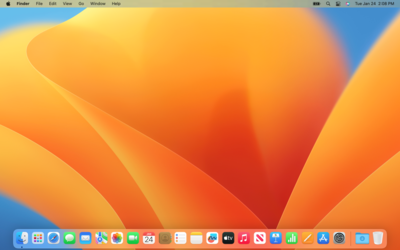
macOS Ventura
macOS Ventura (version 13) is Apple's nineteenth major operating system for Mac. It introduces advanced multitasking with Stage Manager, improves ecosystem continuity by letting you use your iPhone as a webcam, and adds iOS-style Clock and Weather apps directly to your desktop.
macOS Ventura (version 13) is the nineteenth major release of macOS, Apple's operating system for Mac computers. It was announced on June 6, 2022, at Apple's Worldwide Developers Conference (WWDC) and released to the public on October 24, 2022.12 The operating system is named after the city of Ventura, on the Southern California coast, continuing Apple's tradition of using California landmarks as macOS release names. It is the tenth macOS release to bear a California place name.2
- Overview
- Release History
- Version Notes
- System Requirements
- Compatible Mac Models25
- Feature Restrictions2
- Discontinued Support vs. macOS Monterey2
- Storage Requirements5
- New Features and Changes
- Stage Manager3
- Continuity Camera3
- System Settings Redesign3
- Mail3
- Safari and Passkeys3
- Messages3
- Photos — iCloud Shared Photo Library3
- Spotlight Enhancements3
- FaceTime3
- Freeform (added in 13.1)3
- Advanced Data Protection for iCloud (added in 13.1)3
- Security Keys for Apple ID (added in 13.2)3
- New and Updated Apps3
- Security and Privacy Architecture2
- Removed and Deprecated Features2
- Security and Privacy Highlights
- Version Comparison: Ventura vs. Monterey
- Reception
- See Also
- References
macOS Ventura introduces Stage Manager, an entirely new window management paradigm that organizes open apps automatically around a central focus. It also brings Continuity Camera — which allows an iPhone to serve as a wireless Mac webcam — along with a major redesign of System Preferences (now System Settings), significant updates to Mail, Messages, and Safari, and new first-party apps Weather and Clock.3
Overview
macOS Ventura succeeds macOS Monterey (version 12) as the nineteenth major release of Apple's desktop operating system. The release focuses on three primary areas: multitasking and window management, cross-device continuity, and productivity improvements to core apps. Stage Manager offers an alternative to Mission Control for users who prefer a more organized approach to managing multiple windows, while Continuity Camera deepens the relationship between iPhone and Mac.4

Ventura is the last version of macOS to support Macs released in 2017 (with the exception of the iMac Pro, which remains supported through macOS Sequoia). It is also the final release to support any Mac with an Apple T1 security chip, and marks the end of support for the original 12-inch MacBook lineup.2 It was succeeded by macOS Sonoma, released September 26, 2023.2
Release History
| Version | Build | Release Date | Status |
|---|---|---|---|
| macOS Ventura 13.0 | 22A380 | October 24, 2022 | Unsigned |
| macOS Ventura 13.0.1 | 22A400 | November 9, 2022 | Unsigned |
| macOS Ventura 13.1 | 22C65 | December 13, 2022 | Unsigned |
| macOS Ventura 13.2 | 22D49 | January 23, 2023 | Unsigned |
| macOS Ventura 13.2.1 | 22D68 | February 13, 2023 | Unsigned |
| macOS Ventura 13.3 | 22E252 | March 27, 2023 | Unsigned |
| macOS Ventura 13.3.1 | 22E261 | April 7, 2023 | Unsigned |
| macOS Ventura 13.4 | 22F66 | May 18, 2023 | Unsigned |
| macOS Ventura 13.4.1 | 22F82 | June 21, 2023 | Unsigned |
| macOS Ventura 13.5 | 22G74 | July 24, 2023 | Unsigned |
| macOS Ventura 13.5.1 | 22G90 | August 17, 2023 | Unsigned |
| macOS Ventura 13.5.2 | 22G91 | September 7, 2023 | Unsigned |
| macOS Ventura 13.6 | 22G120 | September 21, 2023 | Unsigned |
| macOS Ventura 13.6.1 | 22G313 | October 25, 2023 | Unsigned |
| macOS Ventura 13.6.2 | 22G320 | November 30, 2023 | Unsigned |
| macOS Ventura 13.6.3 | 22G436 | December 12, 2023 | Unsigned |
| macOS Ventura 13.6.4 | 22G513 | January 23, 2024 | Unsigned |
| macOS Ventura 13.6.5 | 22G621 | March 7, 2024 | Unsigned |
| macOS Ventura 13.6.6 | 22G630 | April 3, 2024 | Unsigned |
| macOS Ventura 13.6.7 | 22G720 | May 14, 2024 | Unsigned |
| macOS Ventura 13.6.8 | 22G820 | July 29, 2024 | Unsigned |
| macOS Ventura 13.6.9 | 22G830 | August 7, 2024 | Unsigned |
| macOS Ventura 13.7 | 22H123 | September 16, 2024 | Unsigned |
| macOS Ventura 13.7.1 | 22H221 | October 28, 2024 | Unsigned |
| macOS Ventura 13.7.2 | 22H313 | November 19, 2024 | Unsigned |
| macOS Ventura 13.7.3 | 22H417 | December 12, 2024 | Unsigned |
| macOS Ventura 13.7.4 | 22H512 | February 10, 2025 | Unsigned |
| macOS Ventura 13.7.5 | 22H621 | March 2025 | Unsigned |
| macOS Ventura 13.7.6 | 22H720 | April 2025 | Unsigned |
| macOS Ventura 13.7.7 | 22H820 | May 2025 | Unsigned |
| macOS Ventura 13.7.8 | 22H921 | August 20, 2025 | Unsigned |
All versions of macOS Ventura are no longer signed by Apple as of September 15, 2025, following the release of macOS Tahoe, which ended Apple's active support lifecycle for Ventura.4 The 13.7.x series comprises security-only maintenance releases for users who could not or chose not to upgrade to macOS Sonoma or later.3
Version Notes
13.0 (22A380) — October 24, 20223 Initial public release. Introduced Stage Manager, Continuity Camera, the redesigned System Settings, Mail updates (undo send, scheduled send, follow-up reminders, improved search), new Spotlight capabilities, Passkeys in Safari, Shared Tab Groups, Messages collaboration and edit/unsend, iCloud Shared Photo Library in Photos, FaceTime Handoff, Weather and Clock apps, Focus filters, Live Captions (Apple silicon), and Rapid Security Response.
13.0.1 (22A400) — November 9, 20223 Bug fix and security update. Recommended for all users.
13.1 (22C65) — December 13, 20223 Introduced Freeform, Apple's new collaborative whiteboard app for Mac, iPad, and iPhone. Also added Advanced Data Protection for iCloud, expanding end-to-end encryption to 23 data categories including Backups, Notes, and Photos. Improved Messages photo search, Participant Cursors in shared Notes, and sound-based AirTag location in Find My.
13.2 (22D49) — January 23, 20233 Introduced Security Keys for Apple ID, requiring a physical hardware security key for account sign-in. Fixed Freeform drawing strokes not appearing on shared boards and a VoiceOver audio feedback issue.
13.2.1 (22D68) — February 13, 20233 Bug fix and security update. Recommended for all users.
13.3 (22E252) — March 27, 20233 Added 21 new emoji including animals, hand gestures, and objects. Introduced background removal in Freeform, expanded Photos duplicate detection to iCloud Shared Photo Libraries, transliteration for Gujarati, Punjabi, and Urdu keyboards, new keyboard layouts for Choctaw, Chickasaw, Akan, Hausa, and Yoruba, and an accessibility setting to dim flashing video content. Also resolved a Unicode Hex Input bug present since 13.0.
13.3.1 (22E261) — April 7, 20233 Bug fix release. Fixed pushing-hands emoji not displaying skin tone variations and Auto Unlock with Apple Watch not working.
13.4 (22F66) — May 18, 20233 Added a Sports feed and My Sports cards in Apple News. Fixed Auto Unlock with Apple Watch, a Bluetooth keyboard slow-connection issue after restart, a VoiceOver landmark navigation issue in Safari, and Screen Time settings not syncing across devices.
13.4.1 (22F82) — June 21, 20233 Security update. Recommended for all users.
13.5 (22G74) — July 24, 20233 Bug fixes and security updates. Introduced a bug in System Settings that prevented location permissions from appearing for user-installed apps.
13.5.1 (22G90) — August 17, 20233 Fixed the System Settings location permissions issue introduced in 13.5.
13.5.2 (22G91) — September 7, 20233 Security update. Recommended for all users.
13.6 – 13.6.9 — September 2023 – August 20243 Series of security and bug fix releases issued to users remaining on Ventura after the launch of macOS Sonoma. Version 13.6.9 specifically addressed an issue preventing users from enabling or disabling Advanced Data Protection.
13.7 and later — September 2024 – August 20253 Security-only maintenance releases for users who remained on Ventura after the launch of macOS Sequoia (September 2024). The final release, 13.7.8, arrived August 20, 2025, shortly before Apple ended all Ventura support.
System Requirements
macOS Ventura drops support for all Macs released in 2015 and 2016, as well as some 2017 models, compared to macOS Monterey. It is the final release to support the original 12-inch MacBook (2017), the 21.5-inch iMac (2017), and any Mac with an Apple T1 security chip. It is also the last macOS version that can be installed on Macs without Retina displays.2
Compatible Mac Models25
- iMac (2017 and later)
- iMac Pro (2017)
- MacBook (2017)
- MacBook Air (2018 and later)
- MacBook Pro (2017 and later)
- Mac Mini (2018 and later)
- Mac Pro (2019 and later)
- Mac Studio (2022 and later)
Feature Restrictions2
Not all Ventura features are available on all compatible Macs:
- Live Captions, Offline Dictation, Portrait Mode in FaceTime, and Reference Mode (iPad as reference monitor) require Apple silicon.
- AirPlay to Mac, always-on "Hey Siri", 4K HDR streaming, and Spatial Audio are not supported on all models.
- The 2019 iMac is the only compatible Intel Mac without a T2 security chip, limiting some security-dependent features.
Discontinued Support vs. macOS Monterey2
The following models supported by macOS Monterey are not compatible with macOS Ventura:
- MacBook (2015 and 2016)
- MacBook Air (2015 and 2017)
- MacBook Pro (2015 and 2016)
- iMac (2015 and 2016)
- Mac Mini (2014)
- Mac Pro (2013)
Storage Requirements5
Apple recommends at least 35 GB of available storage space before upgrading to macOS Ventura to ensure sufficient room for installation and normal system operation.
New Features and Changes
Stage Manager3
Stage Manager is a new automatic window-management mode that organizes open apps around a primary active window placed in the center of the screen. Other open apps are moved to the left side in a thumbnail strip, accessible with a click. Key capabilities include:
- App grouping: Multiple apps can be combined into a single Stage Manager group, allowing related windows to be recalled together.
- Quick Desktop access: Files on the Desktop can be revealed and dragged into Stage Manager apps without leaving the mode.
- Easy switching: Clicking any thumbnail on the left strip brings that app or group to center focus.
Stage Manager operates independently of Mission Control, which remains available as an alternative.
Continuity Camera3
Continuity Camera allows an iPhone (XR and later) to function as a wireless webcam for a Mac, automatically activating when the iPhone is placed near the Mac in a compatible mount. Features include:
- Center Stage: Keeps the user framed in the center of the shot as they move (iPhone 11 and later).
- Portrait Mode: Applies a blurred background in video calls (iPhone XR and later).
- Studio Light: Illuminates the user's face while dimming the background (iPhone 11 and later).
- Desk View: Uses the iPhone's Ultra Wide camera to simultaneously show an overhead view of the user's desk alongside the face camera (iPhone 11 and later).
System Settings Redesign3
System Preferences is renamed System Settings in macOS Ventura and receives a comprehensive redesign based on the layout of iOS and iPadOS Settings. The redesign includes a persistent left-hand sidebar for navigation, reorganized preference panes, and a search field. As a consequence, all app-specific "Preferences…" menu items across macOS are renamed "Settings…" for consistency.
A new Login Items section under General exposes all programs that launch at startup — including LaunchAgents and LaunchDaemons — providing significantly greater visibility into background software than the previous Users & Groups pane.2
Mail3
Mail receives its most substantial feature update in years:
- Undo Send: Cancel a sent email within a configurable time window.
- Scheduled Send: Set a specific date and time for a message to be delivered.
- Follow Up: Surfaces emails that may need a reply after a set time.
- Remind Me: Snoozes an email to reappear in the inbox at a chosen time.
- Improved Search: More accurate and complete results with live suggestions while typing.
Safari and Passkeys3
Safari 16, bundled with macOS Ventura, introduces several significant additions:
- Passkeys: A password-free authentication standard using WebAuthn, providing phishing-resistant sign-in that syncs across devices via iCloud Keychain.
- Shared Tab Groups: Share a set of tabs with other users; all participants see updates in real time as tabs are added or changed.
- Redesigned sidebar: A unified sidebar for bookmarks, reading list, and Tab Groups.
- AVIF image format support: Safari can render AVIF images natively.
Messages3
Messages gains several conversational editing tools aligned with iOS 16:
- Edit: Modify the text of a recently sent iMessage, with the edit history visible to recipients.
- Undo Send: Retract a recently sent iMessage within a short window.
- Mark as Unread: Flag a conversation to be returned to later.
- SharePlay in Messages: Start a shared activity (video, music, etc.) with others directly within a Messages thread.
- File collaboration: Invite collaborators to a shared file via Messages; collaboration activity appears inline in the conversation.
Photos — iCloud Shared Photo Library3
iCloud Shared Photo Library allows up to five family members to contribute to a single shared library of photos and videos, separate from each person's personal library. Features include:
- Shared library is fully integrated in the Photos app alongside the personal library.
- All members can add, edit, delete, and favorite photos in the shared library.
- Smart suggestions prompt users to share relevant photos automatically.
- Desk View and Continuity Camera can capture photos directly into the shared library.
Spotlight Enhancements3
Spotlight gains expanded search capabilities:
- Quick Look: Press Space bar on any search result to preview the file without opening it.
- Image search: Find images on the web and within Photos, Messages, Notes, and the Finder.
- Rich results: Enhanced cards for musicians, movies, TV, sports, and businesses.
- Live Text: Spotlight can now return photos that contain queried text within the image.
FaceTime3
FaceTime gains Handoff, allowing an active FaceTime call to be transferred seamlessly between a Mac, iPhone, or iPad. The call continues without interruption on the new device.
Freeform (added in 13.1)3
Freeform is Apple's collaborative digital whiteboard app, available on Mac, iPad, and iPhone. It offers an infinite canvas for brainstorming and creative work, supporting mixed content including sticky notes, images, drawings, links, files, and shapes. Real-time collaboration allows multiple users to work on the same board simultaneously, with live cursor positions visible (Participant Cursors added in 13.1). A background removal tool for images was added in 13.3.
Advanced Data Protection for iCloud (added in 13.1)3
Advanced Data Protection is an optional iCloud security setting that expands end-to-end encryption to 23 data categories — up from the standard 14 — including iCloud Backup, Photos, Notes, Reminders, Safari bookmarks, Siri Shortcuts, Wallet passes, and more. When enabled, only trusted devices hold the decryption keys, meaning Apple cannot access the data even in the event of a server breach. Emails, Contacts, and Calendar are excluded due to their need to interoperate with global standards.
Security Keys for Apple ID (added in 13.2)3
Users can configure physical FIDO2-compliant hardware security keys (such as a YubiKey) as a requirement for signing in to Apple ID, providing the strongest available protection against phishing and unauthorized account access.
New and Updated Apps3
Weather: The Weather app, previously iOS and iPadOS-exclusive, arrives on Mac with full-screen immersive animations, hourly and 10-day forecasts, precipitation maps, and air quality data.
Clock: A native Clock app for Mac unifies world clock, alarm, stopwatch, and timer functionality. Previously, clicking the date/time widget would open System Preferences; now it opens the Clock app.
Maps: Route planning supports multiple stops in a single trip. Turn-by-turn directions can be transferred to iPhone or Apple Watch for navigation.
Apple Music: Users can now mark artists as favorites and receive notifications when those artists release new music.
Calculator: Minor redesign improvements. (A more substantial Calculator redesign arrived in macOS Sequoia.)
Home: The Home app's backend architecture was rebuilt from the ground up in 13.1 to improve reliability and performance of HomeKit automations.
Security and Privacy Architecture2
Rapid Security Response: A new update delivery mechanism allows Apple to push targeted security patches faster than traditional point releases, without requiring a full system update or reboot.
Lockdown Mode: An extreme optional security setting designed for users at high risk of targeted cyberattacks. When enabled, Lockdown Mode blocks USB accessories when the Mac is locked, prevents MDM profile installation, restricts certain Messages attachments, and disables JavaScript JIT compilation in Safari.
USB-C accessory authorization: macOS prompts for confirmation before allowing a newly connected USB-C accessory to communicate data, to protect against malicious chargers or cables.
Gatekeeper hardening: Third-party apps are now verified against Apple's notarization database every time they are launched, not just on first run.
Removed and Deprecated Features2
- System Preferences: Replaced entirely by the redesigned System Settings.
- Network Utility: The standalone Network Utility app has been removed. Equivalent functionality is available in Terminal.
- Network Locations (GUI): The graphical interface for managing network locations has been removed; the feature remains accessible via the command line.
- Schedule Shutdown/Restart/Boot (GUI): Removed from System Settings; still available via the command line.
- PostScript (.ps) and EPS (.eps) in Preview: Preview no longer opens these file types. Printing PostScript files directly to a compatible printer remains possible via the printer queue.
- USB 1.1 support: macOS Ventura removes support for USB 1.1 accessories.
- 2015–2016 Mac support: All Macs from these years lose support, including the entire MacBook (non-Pro, non-Air) 2015 lineup and the cylindrical Mac Pro (2013).
Security and Privacy Highlights
macOS Ventura includes notable security improvements across its release cycle:
- Rapid Security Response (13.0): First macOS version to support this rapid patch delivery mechanism.3
- Lockdown Mode (13.0): Extreme protection mode for high-risk users, blocking peripheral communication, MDM installs, and JavaScript JIT in Safari.2
- Advanced Data Protection (13.1): Extended iCloud end-to-end encryption to 23 categories.3
- Security Keys for Apple ID (13.2): Physical hardware keys as Apple ID second factor.3
- Location permission fix (13.5.1): Resolved a System Settings bug preventing users from managing app location access.3
- Ongoing 13.6.x – 13.7.x patches: Continued security maintenance releases through August 2025 for users on Ventura who could not upgrade.3
Version Comparison: Ventura vs. Monterey
| Feature | macOS Monterey (12) | macOS Ventura (13) |
|---|---|---|
| Window Management | Mission Control only | Stage Manager added (alternative to Mission Control) |
| iPhone as Webcam | Not available | Continuity Camera with Center Stage, Studio Light, Desk View |
| System Preferences | Classic pane layout | Redesigned as System Settings with sidebar |
| Basic send/receive | Undo Send, Scheduled Send, Remind Me, Follow Up | |
| Passkeys | Not available | Safari 16 Passkeys (WebAuthn) |
| Shared Photo Library | Not available | iCloud Shared Photo Library (up to 5 members) |
| Freeform | Not available | Collaborative whiteboard app (13.1+) |
| Advanced Data Protection | Not available | Optional E2E encryption for 23 iCloud categories (13.1+) |
| Security Keys | Not available | Physical FIDO2 keys for Apple ID (13.2+) |
| Rapid Security Response | Not available | New targeted patch mechanism |
| Lockdown Mode | Not available | Extreme protection for high-risk users |
| Weather App | Not available | Full-featured Weather app with maps |
| Clock App | Not available | World clocks, alarms, timers, stopwatch |
| Spotlight | Basic search | Quick Look, image search, rich results, Live Text |
| USB-C Accessory Trust | Automatic | Requires user authorization for new accessories |
| 2017 Mac support | Supported | Final version supporting 2017 iMac and MacBook |
Reception
macOS Ventura received broadly positive reviews at launch, with Stage Manager and Continuity Camera earning the most coverage as the headline features. Critics noted that Stage Manager launched with notable limitations on its initial release — particularly the absence of external display support for Stage Manager on M-series MacBook models, which was added only in a later iPadOS update and did not carry the same constraints on the Mac. The overall execution was seen as a solid debut of a concept with room to mature.6
The renaming and redesign of System Preferences into System Settings attracted mixed responses. While the sidebar-based layout was seen as more discoverable, many long-time users found the reorganization disorienting and noted that some settings had moved to unexpected locations. Print Presets were widely reported to no longer persist all relevant settings reliably after the redesign.2
Advanced Data Protection and Security Keys were praised by security-focused users as meaningful additions to iCloud's privacy posture. Lockdown Mode, while niche, was noted as a notable commitment to protecting high-risk users such as journalists and activists.3
The dropping of support for 2015–2016 Macs — some still capable of running demanding software — drew criticism from users who felt the compatibility cutoff was premature. Apple's tagline for the release was "Works smarter. Plays harder. Goes further."4
See Also
- macOS Sonoma
- macOS Sequoia
References
You Might Also Like
Jun 5, 2026
Apple MDM
Mobile Device Management (MDM) for Apple allows organizations to securely configure, monitor, and manage iPhones, iPads, Macs, and Apple TVs remotely.
Read more →
Jun 16, 2026
iOS 27 Release Date: Public Beta, Final Launch Date & Full Timeline
When is the iOS 27 release date? Here's the complete timeline, from the June 8 Developer Beta and July Public Beta to the final launch expected in September 2026.
Read more →
Jun 24, 2026
iOS 27 Developer Beta 2: Every New Feature, Fix, and Change You Need to Know
Apple released iOS 27 Developer Beta 2 (build 24A5370h) on June 22, 2026. Following the initial debut of iOS 27 at WWDC, this second beta focuses heavily on refining system stability, smoothing out the brand-new "Liquid Glass" interface, and accelerating Siri AI performance
Read more →
Jun 10, 2026
What's New in SwiftUI at WWDC 2026: The Complete Developer Guide for iOS 27 and Xcode 27
WWDC 2026 brings foundational architectural changes and critical quality-of-life upgrades to SwiftUI for iOS 27 and Xcode 27. This release focuses heavily on performance plumbing, container ergonomics, and integrating Apple's new AI coding ecosystem.
Read more →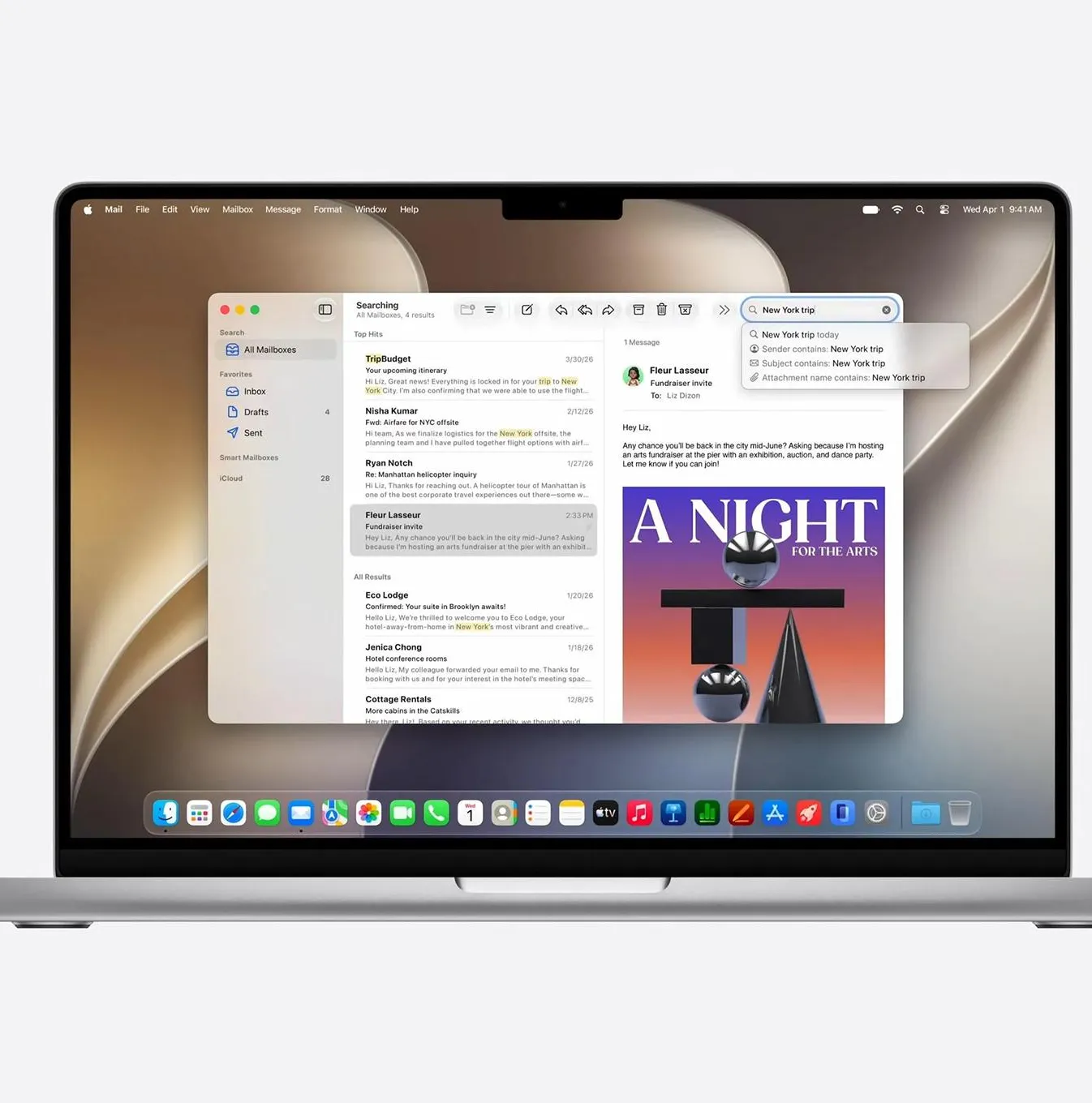
Jun 13, 2026
macOS 27 Golden Gate Beta 1: Every New Feature, Compatible Macs & Release Date
Apple announced macOS 27 Golden Gate at WWDC 2026 on June 8, 2026. Building directly upon the visual identity of macOS 26 Tahoe, this version marks a historic shift by dropping support for Intel CPUs entirely, running exclusively on Apple silicon. The first developer beta (build 26A5353q) is currently available for testing, with the stable consumer launch planned for September 2026
Read more →
Jun 5, 2026
DFU (Protocol)
Like Dislike The DFU (Device Firmware Update) protocol is designed to provide a standard for upgrading the firmware of USB devices. It consists of two main parts: a large main firmware and a smaller bootloader
Read more →
Comments
No comments yet. Be the first to comment!
Leave a Comment
Sign in to comment
Join the conversation with your account or continue as a guest.