

iBoot — Apple's iOS Bootloader
iBoot is a critical piece of software created by Apple that acts as the main bootloader for iOS devices. A bootloader is like a computer’s wakeup guide; it is the program that starts up right when you turn on your device, making sure everything is safe before loading the actual operating system (iOS)
iBoot (also referred to as iBoot second-stage loader in Apple's source code) is Apple's stage-2 bootloader for all iOS, iPadOS, tvOS, and watchOS-based devices. It is the component directly responsible for loading the iOS kernel and, on failed or interrupted boots, for running Restore Mode (Recovery Mode). iBoot sits at the heart of Apple's Secure Boot chain, serving as the final validation gate before the operating system takes control of the device.
- What Is iBoot?
- iBoot in the Secure Boot Chain
- iBoot's Role in Restore Mode
- iBoot Interactive Interface
- iBoot Architecture and Tasks
- iBoot Versions and Location in IPSW
- iBoot vs. iBSS vs. iBEC
- iBoot and Firmware Signing
- iBoot and Jailbreaking
- Early jailbreaks (iPhone OS 1.x)
- Signature bypass era (iOS 2.x–4.x)
- Bootrom exploits (checkm8, 0x24000)
- Modern A12+ devices
- Analysing iBoot
- Frequently Asked Questions
- See Also
- External Resources
What Is iBoot?
iBoot is Apple's second-stage bootloader — the software that runs after the device's Boot ROM (SecureROM) and the Low-Level Bootloader (LLB) have completed their initial hardware initialisation. Every Apple device with iOS runs iBoot as a mandatory step in its boot sequence.
iBoot has two distinct operational modes:
- Normal boot: iBoot locates, validates, and launches the iOS kernel (XNU). If successful, the device boots into the familiar iOS home screen.
- Recovery (Restore) Mode: If iBoot cannot find a valid, cryptographically signed kernel — or if the user forces Recovery Mode manually — iBoot instead starts an interactive recovery environment. This is the "Connect to Mac" screen users see during a restore.
Per The Apple Wiki: *"iBoot, also referred to as 'iBoot second-stage loader' in the source code, is Apple's stage 2 bootloader for all of the devices. It runs what is known as Recovery Mode."*
iBoot in the Secure Boot Chain
Apple devices follow a strict, hierarchical Secure Boot sequence. Each stage cryptographically verifies the next before handing off control. The full chain on modern iOS devices is:
Boot ROM (SecureROM)
    └─► LLB (Low-Level Bootloader)        [older devices only]
            └─► iBoot (Stage 2 Bootloader)
                    └─► Kernel (XNU) + Device Tree + Kernelcache
                                └─► iOS / iPadOS
On modern devices (A9 and later), Apple collapsed the LLB stage, making the chain:
Boot ROM (SecureROM)
    └─► iBoot (Stage 2 Bootloader)
            └─► Kernel + Device Tree
                    └─► iOS
Each stage uses IMG4 (Image4) cryptographic signatures to verify the next. iBoot checks the APTicket and each firmware component's hash against Apple's signing certificates before allowing execution. If any signature fails, the device is forced into DFU Mode or Recovery Mode.
iBoot's Role in Restore Mode
iBoot is the engine that runs Recovery Mode. When the normal boot sequence fails — whether due to a corrupt kernel, a failed iOS update, or user intervention — iBoot does not shut down the device. Instead, it drops into an interactive fallback environment.
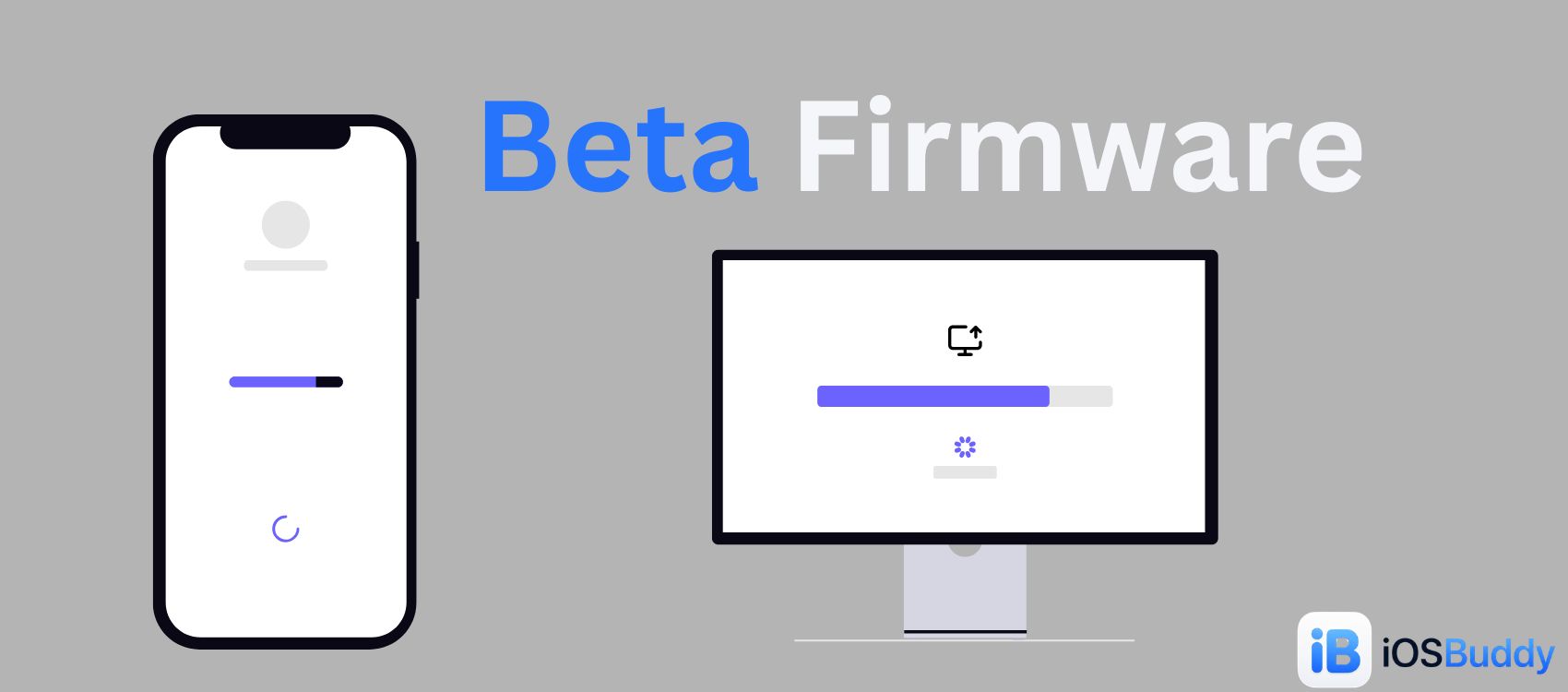
In Recovery Mode, iBoot:
- Presents the "Connect to Computer" (USB cable + Mac/PC icon) screen on the display
- Exposes a USB interface to the connected computer (iTunes, Finder, or Apple Devices app)
- Responds to commands from the host computer over the USB MUX protocol
- Validates and accepts firmware components (ramdisk, kernel, device tree) sent from the host
- Enforces signature checking — it will only accept firmware components that are properly signed by Apple for the specific device's ECID
Because iBoot is still running during Recovery Mode, it is still subject to Apple's firmware validation rules. This is the key distinction from DFU Mode, where iBoot itself is bypassed.
iBoot Interactive Interface
iBoot has a documented interactive interface accessible via USB or serial. This interface can be used for development and advanced debugging. Known commands include the cp command (used in early jailbreaks) and environment variable manipulation (setenv, saveenv), the latter being the basis for "kick device out of Recovery Mode" techniques using setenv auto-boot true.
iBoot Architecture and Tasks
iBoot is a multithreaded binary that spawns several ARM tasks to manage the boot process. According to disassembly of iBoot (iOS 5, rebased at 0x5FF00000), the major tasks include:
| Task | Function |
|||
| iBootStart | Entry point; initialises hardware and calls main |
| main | Core boot logic — loads the kernel and starts poweroff task |
| command | Launched in Recovery Mode (failed boot) — handles interactive USB/serial commands |
| idleoff | Power management during idle states |
The iBootStart function begins at ROM:5FF00BA4 and performs essential hardware bring-up before branching to main at 5FF00C14. In a failed boot scenario, main calls the command task at 5FF00F0A, which is what drives the interactive Recovery Mode shell.
iBoot Versions and Location in IPSW
iBoot is distributed inside every IPSW firmware bundle, stored at:

Firmware/all_flash/all_flash.[board_id].production/iBoot.[board_id].RELEASE.img3For example, in the iPhone 3GS (3.0 / 7A341) IPSW, iBoot is found at:
Firmware/all_flash/all_flash.n88ap.production/iBoot.n88ap.RELEASE.img3 (178,500 bytes)On modern firmware using the IMG4 format (replacing the older IMG3), iBoot files are named with .im4p extensions and are cryptographically bound to the device's ECID during the personalization stage of a restore.
Each iBoot release is versioned. Notable iBoot versions include the transition from bootrom version 838.3 (where limera1n was patched), the introduction of nonce-based APTickets in iOS 5, and the A12+ nonce entanglement changes that made SHSH blob replay attacks significantly harder.
iBoot vs. iBSS vs. iBEC
During a DFU Mode restore, iBoot itself is not used. Instead, two DFU-specific bootloader stages are loaded:
| Component | Role | Used In | |||| | iBoot | Stage-2 bootloader; runs Recovery Mode; loads iOS kernel | Normal boot + Recovery Mode | | iBSS (iBoot Single Stage) | Minimal first-stage DFU bootloader loaded from IPSW | DFU Mode (Stage 1) | | iBEC (iBoot Epoch Change) | Full DFU bootloader; manages the actual restore from IPSW | DFU Mode (Stage 2) |
In a DFU restore, the host computer sends iBSS and then iBEC directly from the IPSW, bypassing whatever iBoot version is installed on-device. This is critical for large iOS version jumps where the on-device iBoot may be incompatible with the target firmware's IMG4 validation format.
iBSS and iBEC are stored in the IPSW at:
Firmware/dfu/iBSS.[board_id].RELEASE.dfu
Firmware/dfu/iBEC.[board_id].RELEASE.dfu
iBoot and Firmware Signing
iBoot enforces Apple's firmware signing policy at every boot and restore. It verifies each firmware component (kernel, device tree, ramdisk, etc.) against the APTicket — a device-specific, cryptographically signed authorization from Apple's TSS (Tatsu Signing Server).
Key signing enforcement points:
- iBoot checks that each component's SHA hash matches what Apple's TSS server certified for this specific ECID
- Firmware signed for a different device (different ECID) is rejected
- Unsigned or tampered firmware is rejected and the device is forced into DFU or Recovery Mode
- iBoot cannot be downgraded via normal restore — Apple enforces a "no downgrade" policy for bootloaders
In older device generations (A4 and earlier, with bootrom exploits like checkm8 and 0x24000 Segment Overflow), it was possible to enter Pwned DFU Mode, which bypassed iBoot's signature checks and allowed the installation of custom or unsigned firmware. On modern devices with A12 and later, no public bootrom exploit exists, making iBoot's signature enforcement effectively unbypassable.
iBoot and Jailbreaking
iBoot has been central to jailbreaking throughout iOS history:
Early jailbreaks (iPhone OS 1.x)
The very first iPhone jailbreaks exploited the cp command in iBoot's interactive interface to copy modified fstab and afcd.plist files from the user partition to the root partition, unlocking read-write access to the filesystem.
Signature bypass era (iOS 2.x–4.x)
Tools like PwnageTool, redsn0w, and sn0wbreeze patched iBoot's signature verification code inside iBSS and iBEC, creating "pwned" DFU environments where custom or older unsigned firmware could be restored.
Bootrom exploits (checkm8, 0x24000)
The checkm8 exploit (disclosed 2019) targets a vulnerability in the Boot ROM before iBoot loads, providing a permanent, unpatchable entry point for devices through the A11 Bionic. checkra1n and palera1n leverage checkm8 to enter a Pwned DFU state, loading a patched iBoot that allows unsigned kernel execution.
Modern A12+ devices
No public bootrom exploit exists for A12 and later. iBoot's signature enforcement, combined with the Secure Enclave and nonce entanglement, makes these devices effectively unjailbreakable without a software vulnerability in iOS itself.
Analysing iBoot
Researchers and developers can extract and disassemble iBoot from an IPSW for analysis. The general process:
- Obtain the IPSW for the target firmware version and device.
- Navigate to
Firmware/all_flash/and extract theiBoot.[board].RELEASE.img3(or.im4p) file. - Decrypt the file using the published firmware keys (available on The Apple Wiki's firmware keys database).
- Verify decryption — a decrypted iBoot binary begins with recognisable ARM code.
- Load into a disassembler (e.g. IDA Pro) with the ARM processor setting. For iBoot in iOS 5, rebase to
0x5FF00000.
The Apple Wiki maintains an extensive database of firmware decryption keys for historical IPSW builds, making it possible to decrypt and analyse iBoot versions across the full history of iOS.
Frequently Asked Questions
Q: Can iBoot be updated independently of iOS? Not through normal means. iBoot is packaged inside the IPSW and is updated as part of a full firmware restore. Apple does not allow selective iBoot downgrades.
Q: What happens if iBoot's signature check fails? The device is forced into DFU Mode (if the bootrom triggers it) or remains in Recovery Mode (if iBoot itself detects the failure after partially loading).
Q: Is iBoot the same as the Boot ROM? No. The Boot ROM (SecureROM) is permanently burned into the hardware and cannot be updated or patched via software. iBoot is stored in flash memory and is updated with each firmware release.
Q: Why is Recovery Mode sometimes called iBoot mode? Because iBoot is the software running the device during Recovery Mode. Researchers and developers sometimes use "iBoot mode" and "Recovery Mode" interchangeably in technical contexts.
See Also
- Restore Mode — The recovery environment iBoot executes when normal boot fails
- DFU Mode — Lower-level state that bypasses iBoot; uses iBSS and iBEC from the IPSW instead
- iBSS / iBEC — DFU-specific bootloader stages stored in the IPSW
Firmware/dfu/directory - LLB (Low-Level Bootloader) — Stage-1 bootloader on older devices; precedes iBoot in the boot chain
- APTicket — Cryptographic authorization iBoot validates before accepting firmware
- Boot ROM / SecureROM — The hardware-level, unpatchable first stage before iBoot
- IPSW — The firmware archive that delivers iBoot to the device during a restore
- checkm8 — Bootrom exploit enabling Pwned DFU mode on A5–A11 devices
External Resources
- The Apple Wiki — iBoot (Bootloader) — Primary technical reference and disassembly notes
- iOSBuddy — Browse signed IPSW builds for any device; contains iBoot for every firmware version
- iOSBuddy Firmware Keys — Find the correct IPSW for your device to extract iBoot
- The Apple Wiki — Firmware Keys — Decryption keys for iBoot and all other IMG3/IMG4 firmware components
Based on technical documentation from The Apple Wiki. Last updated: June 2026.
You Might Also Like

Jun 24, 2026
iOS 27 Beta 2: Write with Siri, RCS Threading, and Apple Wallet's Biggest Upgrade in Years
iOS 27 Developer Beta 2 introduces "Write with Siri" keyboard AI integration, advanced RCS message threading for Android chats, and a major Apple Wallet "Spending Insights" hub for unified financial tracking. These updates focus on enhancing user productivity, cross-platform messaging, and personalized financial management.
Read more →
Sep 5, 2026
iPhone 18 Pro Max: Release Date, Price, Specs, and Everything We Know So Far
iPhone 18 Pro Max rumors point to a 2nm A20 Pro chip, a smaller Dynamic Island, a variable aperture camera, and a bigger battery. Here's everything expected ahead of Apple's September 2026 event.
Read more →
Sep 5, 2026
iPhone 18 Pro: Release Date, Price, Specs, and Everything We Know So Far
iPhone 18 Pro rumors point to a 2nm A20 Pro chip, a smaller Dynamic Island, a variable aperture camera, and Apple's new C2 modem. Here's everything expected ahead of Apple's September 2026 event.
Read more →
Jun 8, 2026
How to Watch Apple's WWDC 2026 Keynote: iOS 27, New Siri, and Everything You Need to Know
Apple's Worldwide Developers Conference (WWDC) 2026 is set to take place from June 8 to June 12, 2026. The event will kick off with a keynote presentation at 10 a.m. PT/1 p.m. ET, followed by a Platforms State of the Union address.
Read more →
Sep 16, 2026
iOS 27.2 Beta: Everything New (Redesigned Health App, Siri AI Languages, Dual Capture FaceTime)
iOS 27.2 beta 1 is here, just two days after iOS 27. Here's everything new: the redesigned Apple Intelligence Health app, five new Siri AI languages, dual capture for Group FaceTime, Apple TV profiles on iPhone, build numbers, install steps, and why Apple
Read more →
Jul 4, 2026
Baseband Firmware — iOS Cellular Radio Firmware
Baseband firmware (also listed as Modem Firmware) is the low-level software that runs on your iPhone’s cellular modem. It operates independently of iOS to handle all radio communications, cellular connections, data transmission, and network handoffs.
Read more →
Comments
No comments yet. Be the first to comment!
Leave a Comment
Sign in to comment
Join the conversation with your account or continue as a guest.