
Apple Beta Firmware: The Complete Guide to Developer Betas, Public Betas, and How They Work
Everything you need to know about Apple beta firmware: what it is, who can access it, how IPSW and OTA betas differ, the release cycle from WWDC to GM, AirPods and HomePod beta firmware, and what is new in the iOS 26 / macOS Tahoe era.
Apple beta firmware refers to pre-release versions of the operating systems and device firmware that Apple distributes to developers, testers, and IT professionals ahead of a public launch. These builds cover every platform in Apple's ecosystem: iOS, iPadOS, macOS, watchOS, tvOS, visionOS, HomePod software, and even the firmware that runs inside AirPods.
The purpose of beta firmware is twofold. First, it gives app developers time to test and update their software against the new APIs and system behaviors before millions of users upgrade. Second, it gives Apple a structured feedback loop so engineers can catch bugs, performance regressions, and compatibility issues that only surface at scale.
Beta firmware can arrive as a full IPSW file for a wired restore or as a smaller Over-the-Air (OTA) delta update. Both routes are legitimate; the right choice depends on whether you want a clean install or an incremental update on top of an existing beta.
The Three Beta Programs Apple Offers
1. Apple Developer Program
The Developer Beta is released first, typically at WWDC in June, and receives more frequent updates. It may contain more bugs but gives the earliest access to new features. Historically, accessing developer betas required a paid Apple Developer Program membership costing $99 per year.
That changed on 5 June 2023. Before that date, beta developer firmware was only allowed to be installed by members of the Apple Developer Program. Since then, a free developer account is sufficient. Any Apple user can now create a free account at developer.apple.com and enroll a device in the developer beta track.
2. Apple Beta Software Program
Public betas are offered to users who do not want to install the developer betas. They are offered to those who are enrolled in the Apple Beta Software Program, which is free for anyone with a valid Apple Account.
The Public Beta arrives a few weeks after the developer release and is generally more stable, making it better suited for daily-use devices. The enrollment page is at beta.apple.com and the process takes only a few minutes. Once enrolled, the beta profile is delivered to the device and it begins receiving pre-release software updates through the standard Settings app.
3. AppleSeed for IT
IT professionals also have access to AppleSeed for IT beta software, but to access these, they need to sign in using an Apple Account that has access to Apple Business Manager or Apple School Manager. This program is specifically designed for organisations that manage fleets of Apple devices and need to validate that enterprise apps, MDM profiles, and network configurations remain functional before a new OS rolls out to staff.
How Beta Firmware Is Delivered: IPSW vs OTA
IPSW (iPhone Software) Files
An IPSW beta file is the complete firmware image for Apple devices running beta software. IPSW stands for iPhone Software, and these files allow you to perform a clean install or restore your device to a specific beta version using Finder on Mac or iTunes on Windows.
IPSW beta downloads are especially useful when over-the-air updates fail, when you want a fresh installation, or when you need to downgrade from a newer beta to an older state.
To install an IPSW file, connect the device with a cable, hold the Option key on Mac (or Shift on Windows) while clicking Restore or Update in Finder or iTunes, then select the downloaded IPSW from disk. The firmware must be currently signed by Apple to install successfully; Apple withdraws signing for older versions to prevent arbitrary downgrades.
Over-the-Air (OTA) Updates
Since iOS 16.4, installing a beta no longer requires a computer at all. Since iOS 16.4, you can install directly via Settings, General, Software Update, Beta Updates. A computer is only needed for IPSW beta clean installs or downgrades.
OTA updates are smaller, faster, and convenient for keeping a device current throughout a beta cycle. However, they build on the existing installation and can occasionally carry forward a corrupted state, which is why some testers prefer a clean IPSW restore at the start of each major beta season.
The Beta Release Cycle: From WWDC to Golden Master
Understanding the full lifecycle of a beta release helps developers and enthusiasts plan their testing schedules.
Stage 1: WWDC Announcement and Beta 1
Apple's Worldwide Developers Conference, held each June, is where major new operating system versions are announced. At WWDC 2025, Apple introduced new feature-rich operating systems sporting a Liquid Glass makeover. iOS 26 was released for testing on June 9 through the Apple Developer Program, and a public beta version was released through the Apple Beta Software Program the following month.
The first developer beta lands the same day as the keynote, giving developers immediate access to new APIs. It is invariably the roughest build of the cycle, often missing features that were demoed on stage and carrying significant bugs.
Stage 2: Iterative Betas
Through the summer, Apple seeds new betas roughly every two weeks. Each build addresses bugs reported through the Feedback Assistant app, refines features, and may introduce new capabilities that were not ready for Beta 1. By the fourth or fifth beta, most major frameworks are stable enough for serious compatibility testing.
Stage 3: Release Candidate
A release candidate (RC) build is typically the final build of a piece of software in the beta stages for developers. It is typically the final build before a major release. Up until iOS/iPadOS 14.2, Apple used the term Golden Master (GM), but with 14.2 that changed to release candidate.
The RC is functionally identical to what will ship to consumers. If no critical bugs are discovered after the RC is seeded, that build becomes the public release. Occasionally Apple seeds a second RC if a last-minute regression surfaces.
Stage 4: Public Release and Point-Update Betas
After the major release ships in autumn, the beta cycle continues for point updates (.1, .2, and so on). The .5 releases typically serve as maintenance updates that improve stability and address issues reported after the initial major versions. These point-update betas follow the same developer-first, public-beta-second pattern, just with shorter timelines and fewer total builds before release.
Beta Firmware Across Apple Platforms in 2025 and 2026
iOS 26 and iPadOS 26
iOS 26 and iPadOS 26, announced at WWDC 2025, represent one of the most visually significant updates Apple has shipped in over a decade. These updates debuted in 2025 with the new Liquid Glass design language and expanded Apple Intelligence capabilities.
The iOS 26 and macOS Tahoe 26 releases introduced a refreshed design language including Liquid Glass elements, enhanced Apple Intelligence capabilities, new Messages features like polls and backgrounds, and various productivity improvements.
The beta cycle for iOS 26 began at WWDC on June 9, 2025, with the public beta following in July. The final release arrived on September 15, 2025. Since then, Apple has continued seeding betas for the 26.x point update series. As of June 2026, Apple is actively seeding betas for iOS 26.6 ahead of WWDC 2026, where iOS 27 is expected to be announced.
macOS Tahoe 26
Built with Liquid Glass, a translucent material that reacts to its surroundings, macOS Tahoe refines elements on the Desktop and introduces a fully transparent menu bar for a more immersive display.
macOS 26 follows macOS 15, with Apple streamlining the numbering for all of its operating system updates. The latest stable version as of early June 2026 is macOS Tahoe 26.5.1, which arrived on June 1, 2026. Beta testers on the macOS track experienced the same general cadence as iOS, with developer betas arriving first and public betas following approximately two weeks later.
watchOS, tvOS, visionOS, and HomePod Software
All of Apple's companion platforms participate in the same WWDC-anchored beta calendar. watchOS, tvOS, and visionOS betas ship alongside iOS, since the Apple Watch, Apple TV, and Apple Vision Pro all depend on a paired iPhone or Apple device running compatible software.
HomePod beta firmware has historically been restricted to invited developers through AppleSeed. Beta firmware for HomePod was previously restricted to the HomePod mini and only available with an invite through the developer-only AppleSeed program. Starting with iOS 26, the original HomePod was included in the Apple Beta Software Program for the first time.
AirPods Beta Firmware: A Special Case
AirPods beta firmware deserves its own section because it behaves differently from every other Apple beta.
How AirPods Beta Firmware Is Installed
If you have the iOS 26 developer beta installed, the corresponding AirPods beta firmware will install automatically when your AirPods are in their charging case, plugged into power, with the paired iPhone nearby and connected to the internet.
Starting with iOS 26, Apple made the opt-in process significantly more visible. For the first time, iOS 26, iPadOS 26, and macOS Tahoe 26 show the user that a new firmware update is available for their AirPods, so they can manually choose to apply it instead of waiting for automatic updates to kick in. The toggle appears inside the AirPods section of the Settings app when the earbuds are connected.
The Critical Warning: AirPods Beta Cannot Be Rolled Back
This is the most important distinction between AirPods beta firmware and any other Apple beta. AirPods cannot be restored to previously released firmware versions once the beta is installed. Your device will continue to run this software until an updated non-beta software version is released.
This is unlike iPhone or Mac betas, where a full IPSW restore can return the device to a stable release. Anyone considering AirPods beta firmware should understand they are committed until Apple ships the next stable update.
What AirPods Beta Firmware Unlocks
Firmware 7B19, released for AirPods Pro 2 in October 2024, activated hearing aid, hearing test, and hearing protection capabilities when paired with iOS 18.1 or later, with genuine regulatory implications. The features were significant enough to require FDA clearance.
More recently, iOS 26 brought several new features for AirPods 4 and AirPods Pro 2 owners, including remote camera trigger, sleep detection, CarPlay switching, higher-quality audio for calls, and studio-quality audio recording for interviews, podcasts, and videos.
Risks and Best Practices for Running Beta Firmware
Known Risks
Beta firmware is pre-release software by definition. Common issues reported across beta seasons include:
- Battery drain that is worse than the shipping release, as power management tuning happens late in the cycle
- App crashes caused by API changes that third-party developers have not yet adopted
- System instability, unexpected reboots, or boot loops on very early builds
- Missing or broken features that were advertised but not yet fully implemented
Beta software can include unfinished features, battery drain, or app incompatibilities. Everyday users are best served by waiting for the final release unless they are comfortable with potential bugs.
Best Practices
Back up before installing. Use iCloud Backup or a local encrypted backup via Finder or iTunes. If the beta causes serious issues, restoring from backup is the fastest path back to a working device.
Do not install on your primary device. If you depend on your iPhone or Mac for work, keep a secondary device enrolled in the beta program. Developer betas in particular can have problems serious enough to affect productivity.
Use the Feedback Assistant app. Apple provides this app specifically to collect structured bug reports from beta testers. Detailed reports with steps to reproduce, affected build numbers, and sysdiagnose logs are far more useful to Apple engineers than generic complaints. The value of beta testing is the feedback loop.
Stay on the same track. Participants receive either developer beta builds or public beta builds depending on their enrollment. Participants in the Apple Beta Software Program may receive different beta software from participants in the Apple Developer Program. Mixing tracks mid-cycle by switching the beta update type in Settings can sometimes cause confusion about which build is expected.
Understand the NDA. The Apple Beta Software Program carries confidentiality obligations. Users should not blog, post screenshots, tweet, or publicly post information about the beta software, or discuss or demonstrate it to others who are not in the Apple Beta Software Program. If Apple has publicly disclosed technical information about the beta software, it is no longer considered confidential.
How Beta Build Numbers Work
Apple's beta build numbers follow a consistent internal format that carries information about the release generation. For example, the first iOS 26 beta carried an internal build like 25A5279m. The number 25 reflects the underlying Darwin OS major version; the letter suffix increments with each new build in a series.
AirPods firmware builds use a similar numbering scheme. The build 8A5279d indicates it is the eighth major firmware version for the AirPods Pro 2. The number 25 prefix in OS builds is a tidbit from Darwin OS, the foundation that all Apple operating systems share, and uses a major version number tied to the year of release. This means iOS 26, macOS 26, and their siblings all share the Darwin OS 25 foundation.
Build numbers are important for bug reporting, as Apple engineers use them to reproduce issues on exact builds. Always note the build number shown in Settings, General, About when filing a Feedback report.
The Current Beta Landscape: What Is Active in 2026
As of June 4, 2026, Apple's beta program is in an active phase ahead of WWDC 2026, which is scheduled for June 8.
iOS 26, macOS Tahoe 26, and the other 26 operating systems launched in autumn 2025 with features like the Liquid Glass design language. The .5 and .6 updates serve as polishing steps before the major iOS 27 release expected in the autumn of 2026.
Apple has released iOS 26.6 beta, iPadOS 26.6 beta, macOS Tahoe 26.6 beta, watchOS 26.6 beta, tvOS 26.6 beta, and visionOS 26.6 beta. This update brings several new features and bug fixes ahead of WWDC 2026 in June.
WWDC 2026 is expected to reveal iOS 27 and macOS 27, after which the full beta cycle restarts with a new round of developer betas on the day of the keynote.
Frequently Asked Questions
Can I go back to stable iOS after installing a beta? Yes, for iPhone, iPad, and Mac. Connect the device to a computer, hold Option/Shift, and click Restore in Finder or iTunes, selecting a signed stable IPSW. Note that Apple Watch and AirPods cannot be rolled back once a beta is installed.
Will my apps work on a beta? Most apps from the App Store continue to work throughout the beta cycle. Issues are more common in the first two or three betas. Apps that use private APIs or rely on specific OS behaviors may break, but mainstream apps are typically patched quickly by their developers.
Does a beta profile slow down my device? A beta profile itself does not add processing overhead. The beta OS may feel slower early in the cycle because optimizations are applied progressively throughout the testing period.
How do I leave the beta program? To leave the program, visit the Unenroll page at beta.apple.com and follow the instructions to remove your Apple Account from the Apple Beta Software Program. The device will then receive only stable public updates going forward. To leave immediately rather than waiting for the next stable update, perform a clean IPSW restore.
Is beta firmware safe for a daily driver? Public betas from Beta 3 onward are generally stable enough for experienced users comfortable with occasional bugs. Developer betas, especially Beta 1, are not recommended as daily drivers unless testing is the explicit goal.
You Might Also Like
Jun 5, 2026
How to Recover Permanently Deleted Videos on iPhone
If you deleted videos on your iPhone and want to recover them, this quick guide on how to recover permanently deleted videos on iPhone is all you need.
Read more →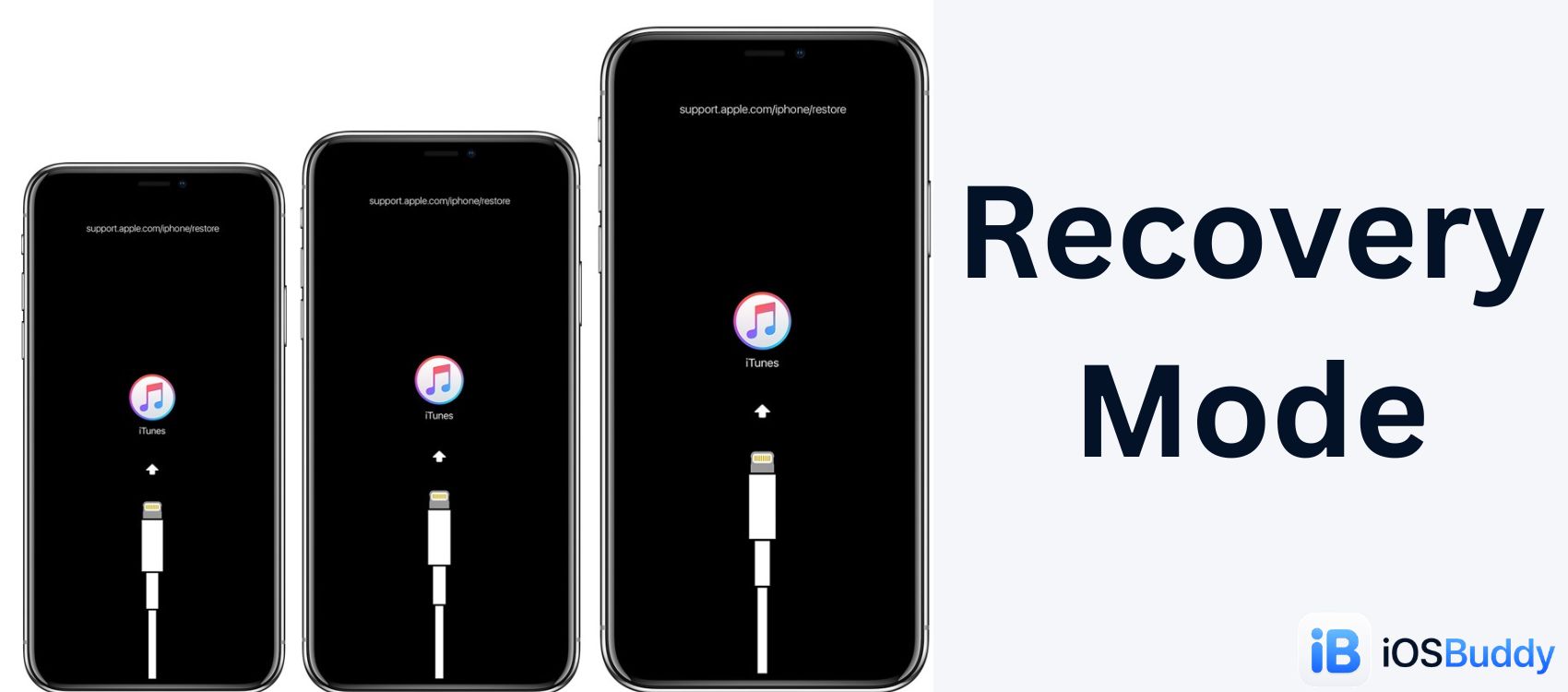
Jun 5, 2026
Recovery Mode (Apple)
Apple's Recovery Mode is a built-in, low-level emergency state that allows your Mac or PC to communicate directly with your device. It bypasses iOS or macOS when the system is frozen, corrupted, or failing to boot, allowing you to update or restore the software
Read more →
Jun 5, 2026
Apple MDM
Mobile Device Management (MDM) for Apple allows organizations to securely configure, monitor, and manage iPhones, iPads, Macs, and Apple TVs remotely.
Read more →
Comments
No comments yet. Be the first to comment!
Leave a Comment
Sign in to comment
Join the conversation with your account or continue as a guest.